See yesterday's court utilization before the day starts
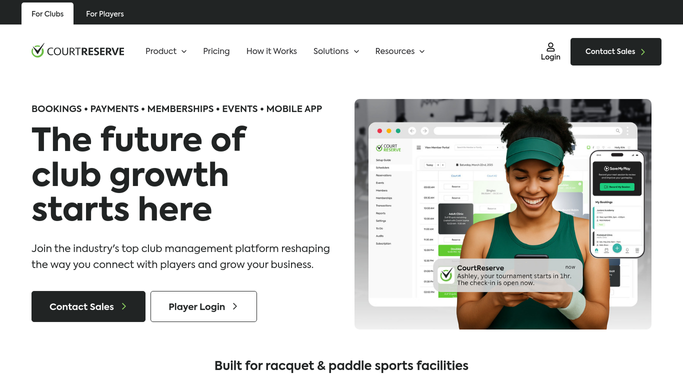
Every morning, WebRun opens CourtReserve, pulls yesterday's reservation data for every court, calculates utilization rates by court and by session type, logs the numbers to a Google Sheet for trend tracking, and posts a utilization digest to Slack for management review.
- No credit card
- Under $0.01 per run
- Cancel anytime
What does WebRun do on every run?
The exact actions WebRun takes, in order - in plain language, so you can adjust anything.
-
WebRun signs in and gets to work
Opens
app.courtreserve.comin a real browser with your saved login - no setup, no API keys. -
1
CourtReserve - pull yesterday's reservation data
courtreserve.com

WebRun opens CourtReserve to pull yesterday's reservation data. - Open CourtReserve and navigate to the reports or reservations calendar for yesterday
- Capture total bookable hours, booked hours, no-show count, and cancellation count for each court
- Break down bookings by session type: open court, lesson, clinic, and league play
- Calculate utilization rate per court as booked hours divided by bookable hours
Done when Each court has a utilization rate and a session-type breakdown for yesterday.
-
2
Google Sheets - log utilization rates for trend tracking
google.com How to Automate Google Sheets
WebRun opens Google Sheets to log utilization rates for trend tracking. - Open the court utilization tracking sheet
- Append a new row for yesterday with the date, each court's utilization rate, and the session-type breakdown
- Update any summary charts or rolling averages in the sheet
Done when Yesterday's utilization data is logged in the tracking sheet and rolling averages are updated.
-
3
Slack - post utilization digest to management
slack.com How to Automate Slack
WebRun opens Slack to post utilization digest to management. - Post a utilization digest to the management channel showing each court's utilization rate and session breakdown
- Highlight any court that fell below the target utilization threshold
- Note the overall facility utilization for the day
Done when Management have yesterday's utilization digest in Slack with underperforming courts flagged.


How do I get a daily court utilization report for my racquet sports club?
WebRun pulls yesterday's reservation data from CourtReserve every morning, calculates utilization rates for each court broken down by session type, logs the results to a Google Sheet for trend tracking, and posts a digest to Slack. Underperforming courts are flagged so management can act before another day of low bookings passes.
- Management see yesterday's court utilization before the day starts
- Idle courts are flagged so staff can take action before another low day
- A running utilization log in Google Sheets builds the trend data needed for scheduling decisions
Built for tennis club managers · pickleball facility owners · racquet sports directors · club operations teams
How is each run configured?
Secure by default
Connect once, stays signed in
WebRun signs in once and keeps each session in a persistent environment, so every run picks up right where it left off.
Every action is checked against this policy before it runs.
Questions, answered
Does this send anything to members?
No. The digest is an internal report posted to Slack and logged in Google Sheets. No member-facing communication is sent.
How does it define utilization rate?
Utilization is calculated as booked hours divided by total bookable hours for each court during the previous day's operating window.
What counts as a low-utilization court?
Any court that falls below the target threshold you set for your facility is flagged automatically in the Slack digest. You define the threshold in the run settings.
Related templates
Put this on autopilot.
Turn it on in minutes - or have our team set it up for you.