Keep individualized learning plans current
On the first of the month, WebRun opens Teaching Strategies GOLD to pull progress against each child's individualized goals, drafts the updated language into that child's learning plan document in Google Docs, and shares the draft with the lead teacher and support specialists in Microsoft Teams for review before anyone finalizes or shares it with the family.
- No credit card
- Under $0.01 per run
- Cancel anytime
How do I keep individualized learning plans updated without staff rewriting them from scratch each month?
WebRun pulls each child's individualized goal progress from Teaching Strategies GOLD every month, drafts updated plan language in Google Docs using your center's existing template, and routes it to the lead teacher and support specialists in Microsoft Teams marked pending review. Nothing is finalized or shared with a family until your staff signs off on the update.
- Plan updates start from real GOLD progress notes instead of a blank template each month
- Support specialists get a draft to react to instead of writing one from scratch
- No update reaches a family until the full support team has signed off
Built for preschool special education liaisons · lead teachers · early intervention specialists · early learning centers
What does WebRun do on every run?
The exact actions WebRun takes, in order - in plain language, so you can adjust anything.
-
WebRun signs in and gets to work
Opens
mygold.teachingstrategies.comin a real browser with your saved login - no setup, no API keys. -
1
Teaching Strategies GOLD - pull each child's individualized goal progress
teachingstrategies.com How to Automate Teaching Strategies GOLD
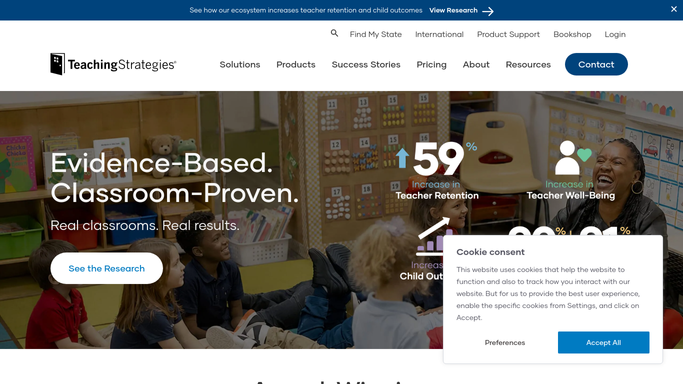
WebRun opens Teaching Strategies GOLD to pull each child's individualized goal progress. - Open Teaching Strategies GOLD and pull progress notes against each child's individualized goals
- Note which goals show clear progress and which need a revised approach
Done when Every child with an active individualized plan has this month's progress pulled.
-
2
Google Docs - draft the updated plan
docs.google.com How to Automate Google Docs

WebRun opens Google Docs to draft the updated plan. - Draft updated goal language into that child's learning plan document
- Keep the center's existing plan template and format
- Mark the draft clearly as pending review, not final
Done when An updated draft plan exists in Google Docs for every child, marked pending review.
-
3
Microsoft Teams - route it to the support team for review
teams.microsoft.com How to Automate Microsoft Teams
WebRun opens Microsoft Teams to route it to the support team for review. - Share each updated draft with the lead teacher and any support specialist involved
- Ask for sign off before the plan is finalized or shared with the family
- Never finalize or send a plan to a family without their review
Done when The support team has every updated draft plan in Microsoft Teams, none finalized yet.
How is each run configured?
Secure by default
Connect once, stays signed in
WebRun signs in once and keeps each session in a persistent environment, so every run picks up right where it left off.
Every action is checked against this policy before it runs.
Questions, answered
Does a plan update go to a family before staff review it?
No. Every updated plan is marked pending review and routed to the lead teacher and support specialists in Microsoft Teams. Finalizing it or sharing it with a family is a decision your staff makes, never WebRun.
Who decides what changes in the plan?
WebRun only drafts language from the progress notes already in GOLD. The lead teacher and any support specialist review, edit, and approve every change before it's final.
How does it handle a goal that hasn't moved in months?
It notes the lack of progress plainly rather than smoothing it over, so the support team can see it needs a revised approach at the next review.
Related templates
Put this on autopilot.
Turn it on in minutes - or have our team set it up for you.