Flag children falling behind on milestones
Every Monday, WebRun opens Teaching Strategies GOLD, checks each child's latest checkpoint ratings against the expected range for their age band, logs anyone falling behind to a running tracker in Google Sheets, and posts the teaching team a milestone digest in Slack grouped by classroom.
- No credit card
- Under $0.01 per run
- Cancel anytime
How do I catch children falling behind on developmental milestones early?
WebRun checks Teaching Strategies GOLD every Monday for checkpoint ratings below the expected range for each child's age band, logs every flagged child to a Google Sheets tracker, and posts your teaching team a milestone digest in Slack grouped by classroom, so no child falls through the cracks between formal assessments.
- Flagged children get a closer look the same week the rating drops, not months later at the next formal checkpoint
- Lead teachers open Slack every Monday to a ready made classroom by classroom digest
- Repeat flags are marked automatically so recurring concerns do not get lost in a long list
Built for preschool directors · pre-K teachers · early childhood educators · child care administrators
What does WebRun do on every run?
The exact actions WebRun takes, in order - in plain language, so you can adjust anything.
-
WebRun signs in and gets to work
Opens
mygold.teachingstrategies.comin a real browser with your saved login - no setup, no API keys. -
1
Teaching Strategies GOLD - find checkpoint ratings below range
teachingstrategies.com How to Automate Teaching Strategies GOLD
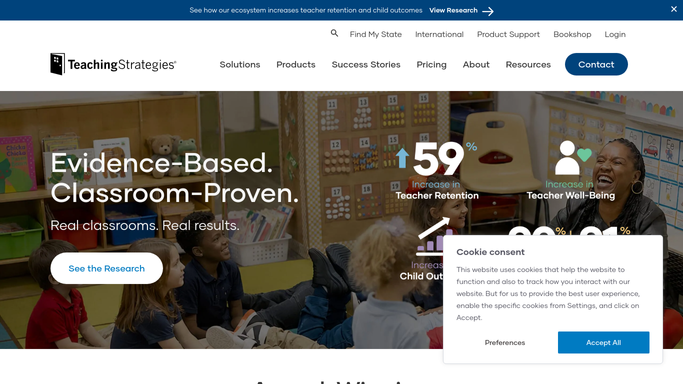
WebRun opens Teaching Strategies GOLD to find checkpoint ratings below range. - Open Teaching Strategies GOLD and pull the latest checkpoint ratings for every enrolled child
- Compare each objective to the expected range for that child's age band
- Note any child rated below range on more than one objective
Done when Every child below the expected range this checkpoint is listed with the specific objective and rating.
-
2
Google Sheets - log every flagged child
google.com How to Automate Google Sheets

WebRun opens Google Sheets to log every flagged child. - Add each flagged child to the milestone tracker with classroom, objective, and rating date
- Check the child's history so a repeat flag is marked as recurring, not new
Done when The milestone tracker reflects this week's flagged children and their history.
-
3
Slack - alert the teaching team
slack.com How to Automate Slack

WebRun opens Slack to alert the teaching team. - Post the weekly milestone digest to the teaching team channel, grouped by classroom
- Tag the lead teacher for each classroom that has a flagged child
Done when The teaching team has this week's milestone digest in Slack.
How is each run configured?
Secure by default
Connect once, stays signed in
WebRun signs in once and keeps each session in a persistent environment, so every run picks up right where it left off.
Every action is checked against this policy before it runs.
Questions, answered
Does WebRun decide if a child has a developmental delay?
No. It only flags checkpoint ratings below the expected range in GOLD so a teacher can look closer. Every judgment about a child's development stays with your qualified staff.
Will it contact families about a flagged milestone?
No. It only posts an internal digest to your teaching team in Slack. Deciding whether and how to talk with a family is left entirely to your staff.
How does it handle a child who catches up?
It reads live checkpoint ratings from GOLD every Monday, so once a child's rating moves back into range they drop off the digest automatically.
Related templates
Put this on autopilot.
Turn it on in minutes - or have our team set it up for you.