Reconcile your delivery channel sales for you
Every morning, WebRun opens Poster, splits yesterday's sales into dine in, takeaway, and delivery channels, logs the breakdown to a Google Sheet, and checks Xero to flag any channel whose payout does not match.
- No credit card
- Under $0.01 per run
- Cancel anytime
What does WebRun do on every run?
The exact actions WebRun takes, in order - in plain language, so you can adjust anything.
-
WebRun signs in and gets to work
Opens
joinposter.comin a real browser with your saved login - no setup, no API keys. -
1
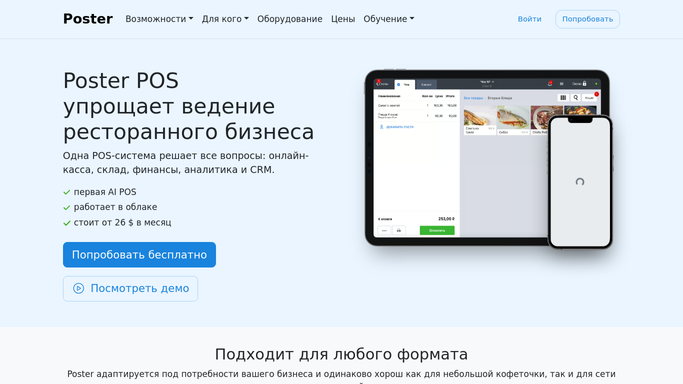
Poster - split sales by channel
joinposter.com How to Automate Poster

WebRun opens Poster to split sales by channel. - Open Poster's Sales report for yesterday
- Split total sales into dine in, takeaway, and delivery by service type
- Note the order count and revenue for each channel
Done when Yesterday's sales are split by channel with revenue and order count.
-
2
Google Sheets - log the channel breakdown
google.com How to Automate Google Sheets
WebRun opens Google Sheets to log the channel breakdown. - Open the channel sales log
- Add yesterday's revenue and order count for each channel
- Update the running share of sales by channel
Done when Yesterday's channel breakdown is logged with the updated running totals.
-
3
Xero - check channel payouts match
xero.com How to Automate Xero
WebRun opens Xero to check channel payouts match. - Open Xero and find the recorded payout for each delivery channel
- Compare it to the delivery revenue Poster reported
- Flag any channel where the two don't match
Done when Every channel's Xero payout has been checked against Poster's reported sales.


How do I reconcile delivery channel sales against Poster?
Every morning, WebRun opens Poster and splits yesterday's sales into dine in, takeaway, and delivery channels, logging the breakdown to a Google Sheet. It then checks Xero to flag any channel whose recorded payout doesn't match Poster's sales, so a missing deposit gets caught within a day.
- Every sales channel is broken out daily, not just at month end
- Missing delivery payouts are caught within a day, not next quarter
- One Sheet shows dine in, takeaway, and delivery side by side
Built for cafe owners · multi-channel restaurant operators · delivery-heavy cafes · hospitality bookkeepers
How is each run configured?
Secure by default
Connect once, stays signed in
WebRun signs in once and keeps each session in a persistent environment, so every run picks up right where it left off.
Every action is checked against this policy before it runs.
Questions, answered
Does it move money between accounts?
No. WebRun only reads sales from Poster and payout records from Xero to compare them. It never moves money or edits a transaction.
What channels does it split out?
Whatever service types you use in Poster, typically dine in, takeaway, and delivery, so you can see each channel's share of the day's sales.
What happens when a channel total doesn't match?
It's logged to the Sheet with both figures side by side, so you can check the delivery platform's payout report before the gap is forgotten.
Related templates
Put this on autopilot.
Turn it on in minutes - or have our team set it up for you.