Start every service day with a complete route briefing
Every morning, WebRun opens Skimmer, compiles the full day's routes across all technicians, pulls relevant notes from prior visits, logs the summary to a Google Sheet for records, and posts a structured route digest to your Slack channel before the team heads out.
- No credit card
- Under $0.01 per run
- Cancel anytime
How do I automatically generate a daily pool service route digest for my team?
Every morning, WebRun opens Skimmer and compiles each technician's route for the day, including stop order, access flags, and notes from prior visits. It logs the summary in Google Sheets and posts a structured digest to Slack before the team heads out, so every stop is briefed and no access issue is a surprise.
- Every technician starts the day briefed on their full route with flagged access issues
- Managers see the whole operation in one Slack message before 7 AM
- A Google Sheets log builds a historical record for capacity and performance reviews
Built for pool service companies · pool route managers · multi-technician pool operations · field service dispatch teams
What does WebRun do on every run?
The exact actions WebRun takes, in order - in plain language, so you can adjust anything.
-
WebRun signs in and gets to work
Opens
app.getskimmer.comin a real browser with your saved login - no setup, no API keys. -
1
Skimmer - compile today's routes and visit notes
getskimmer.com How to Automate Skimmer
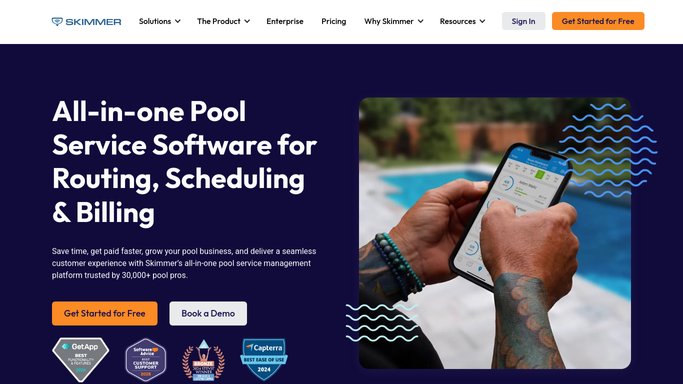
WebRun opens Skimmer to compile today's routes and visit notes. - Open Skimmer and navigate to today's scheduled routes
- For each technician, collect assigned stops in route order with addresses and service windows
- Pull the most recent visit notes, chemical readings, and open equipment issues for each pool
- Flag any stops with access challenges, gate codes, or customer-specific instructions
Done when All routes, visit notes, and flags have been compiled for every technician working today.
-
2
Google Sheets - log daily route summary
google.com How to Automate Google Sheets

WebRun opens Google Sheets to log daily route summary. - Append today's route summary to the daily log sheet with date, technician, stop count, and any flags
- Record it for trend analysis and capacity planning
Done when Today's route summary is logged in the Google Sheet for records.
-
3
Slack - post morning route digest
slack.com How to Automate Slack

WebRun opens Slack to post morning route digest. - Post the route digest to the team channel, organized by technician
- Lead each technician's section with stop count and total drive time estimate
- Call out flagged stops and open equipment issues at the top of each section
Done when Every technician and manager has a clear, organized route briefing in Slack.
How is each run configured?
Secure by default
Connect once, stays signed in
WebRun signs in once and keeps each session in a persistent environment, so every run picks up right where it left off.
Every action is checked against this policy before it runs.
Questions, answered
Does this send anything to customers?
No. The route digest is entirely internal and posts only to your team Slack channel. Customers are not contacted.
What if a technician calls out sick after the digest is posted?
The digest reflects the schedule as it exists in Skimmer at run time. If you reassign routes in Skimmer after the digest posts, the next morning's run will reflect the updated assignments.
Can I use this to track capacity over time?
Yes. Each day's route summary is appended to Google Sheets, giving you a running log of stop counts, technician workloads, and flags you can review for capacity planning.
Related templates
Put this on autopilot.
Turn it on in minutes - or have our team set it up for you.