Stay on top of unpaid patient balances
Every Monday, WebRun opens Panda Perio, pulls patient balances left after insurance has paid, reconciles them against QuickBooks, groups what is owed by how long it has been outstanding, and posts your billing team an aged receivables digest in Slack ranked by balance and age so the oldest debts get worked first.
- No credit card
- Under $0.01 per run
- Cancel anytime
How do I automatically track and reconcile unpaid patient balances?
WebRun opens Panda Perio each Monday, pulls the patient balances left after insurance, and reconciles them against QuickBooks into current, 30, 60, and 90 plus day buckets. It posts your billing team an aged receivables digest in Slack, largest and oldest first, so the right debts get worked promptly and no patient balance quietly slips past collection.
- Oldest patient balances surface first every Monday
- Posting gaps caught before they age into write-offs
- No patient statement or charge sent without staff
Built for periodontal practices · dental billing teams · practice managers · revenue cycle staff
What does WebRun do on every run?
The exact actions WebRun takes, in order - in plain language, so you can adjust anything.
-
WebRun signs in and gets to work
Opens
www.pandaperio.comin a real browser with your saved login - no setup, no API keys. -
1
Panda Perio - pull outstanding patient balances
pandaperio.com How to Automate Panda Perio
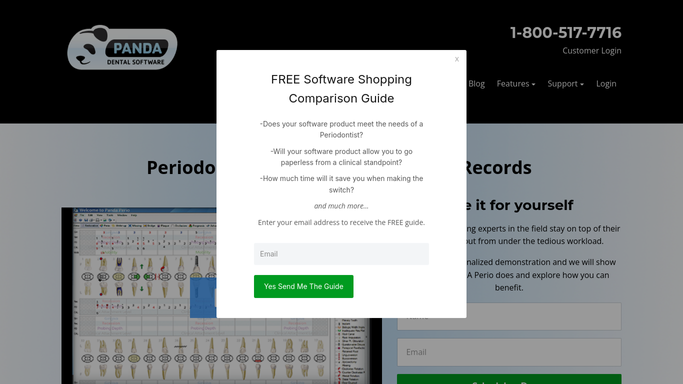
WebRun opens Panda Perio to pull outstanding patient balances. - Open Panda Perio and list accounts with a patient balance remaining after the insurance portion has posted
- Capture the amount owed, the date of service, and the date of the last statement for each
- Exclude accounts with a pending insurance claim so only true patient responsibility is counted
Done when Every account with a real patient balance is listed with its amount and age.
-
2
QuickBooks - reconcile the balances
- Open QuickBooks and match each patient balance against recorded payments and deposits
- Flag any balance that clears in one system but not the other so posting gaps are caught
- Bucket each confirmed balance into current, 30, 60, and 90 plus days outstanding
Done when Every balance is reconciled against QuickBooks and sorted into an aging bucket.
-
3
Slack - post the aged receivables digest
slack.com How to Automate Slack

WebRun posts the aged receivables digest to your billing team. - Post an aged receivables digest to the billing Slack channel, largest and oldest balances first
- Show the aging buckets and the total outstanding, using the chart identifier only
- Leave patient statements and collection calls to your team. WebRun reports the numbers, it never bills or messages the patient
Done when Billing has this week's aged receivables digest in Slack.
How is each run configured?
Secure by default
Connect once, stays signed in
WebRun signs in once and keeps each session in a persistent environment, so every run picks up right where it left off.
Every action is checked against this policy before it runs.
Questions, answered
Will it send statements or charge patients?
No. WebRun only reconciles the balances and posts an internal digest in Slack for your billing team. Sending a statement, calling a patient, or charging a card always stays a human decision.
How does it avoid chasing money insurance still owes?
It excludes any account with a pending insurance claim and counts only the patient portion left after insurance has posted, so the digest reflects true patient responsibility, not amounts still with the payer.
What does the reconciliation catch?
It matches each balance across Panda Perio and QuickBooks and flags anything that clears in one but not the other, surfacing posting gaps and misapplied payments before they age into a write-off.
Related templates
Put this on autopilot.
Turn it on in minutes - or have our team set it up for you.