Make sure every new hire is fully set up in Gusto before their first paycheck
Every morning, WebRun opens Gusto, finds every new hire added in the past 30 days whose onboarding is not yet complete, checks which documents or steps are still outstanding, and posts a follow-up worklist to Slack and logs it to a Google Sheet so your HR team knows exactly who needs a nudge before their first payroll run.
- No credit card
- Under $0.01 per run
- Cancel anytime
How do I automatically track incomplete new hire onboarding in Gusto?
WebRun opens Gusto every morning and checks every employee added in the past 30 days for incomplete onboarding steps such as W-4, I-9, and direct deposit setup. It posts a prioritized follow-up list to Slack and logs it in Google Sheets so your HR team can act before any new hire misses their first paycheck.
- New hires never miss their first paycheck due to an incomplete Gusto setup
- HR gets a prioritized daily list instead of manually checking each profile
- Onboarding completion is logged in Google Sheets for audit and reporting purposes
Built for HR managers · payroll administrators · small business owners · people operations teams
What does WebRun do on every run?
The exact actions WebRun takes, in order - in plain language, so you can adjust anything.
-
WebRun signs in and gets to work
Opens
app.gusto.comin a real browser with your saved login - no setup, no API keys. -
1
Gusto - find new hires with incomplete onboarding
gusto.com How to Automate Gusto
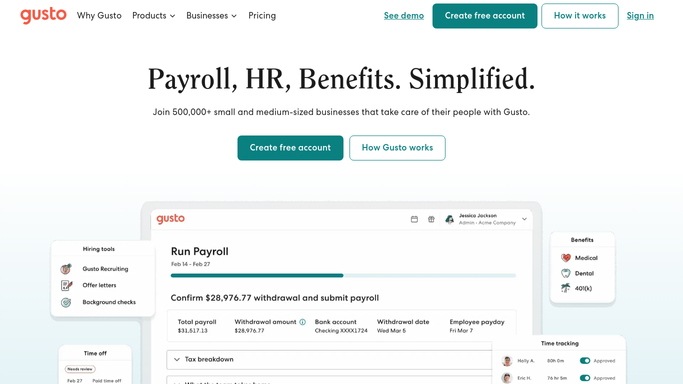
WebRun opens Gusto to find new hires with incomplete onboarding. - Open Gusto and navigate to the People section, filtered to employees added in the last 30 days
- Check each new hire's onboarding checklist for incomplete items such as bank details, I-9 documents, W-4, and direct deposit setup
- Note each hire's start date, name, and the specific steps still outstanding
- Prioritize anyone with a payroll run due within the next five days
Done when Every new hire with an incomplete onboarding checklist is captured with the specific outstanding items.
-
2
Slack - alert HR with the follow-up worklist
slack.com How to Automate Slack

WebRun opens Slack to alert HR with the follow-up worklist. - Post a summary to the HR Slack channel listing each incomplete new hire with the outstanding steps
- Flag any hire whose first payroll run falls within the next five days as urgent
- Include the hire's start date so HR can prioritize correctly
Done when HR has today's incomplete new-hire list in Slack.
-
3
Google Sheets - log onboarding status for tracking
google.com How to Automate Google Sheets

WebRun opens Google Sheets to log onboarding status for tracking. - Open the new-hire onboarding tracking Google Sheet
- Update each hire's row with current completion status and outstanding items
- Mark rows complete when all onboarding steps show as finished in Gusto
Done when The onboarding tracker reflects current completion status for all recent new hires.
How is each run configured?
Secure by default
Connect once, stays signed in
WebRun signs in once and keeps each session in a persistent environment, so every run picks up right where it left off.
Every action is checked against this policy before it runs.
Questions, answered
Will it send onboarding reminders directly to new hires?
No. WebRun posts an internal worklist to your HR Slack channel only. Any outreach to new hires is handled by your HR team. This keeps communication personal and on-brand.
What onboarding items does it check for?
It checks the standard Gusto onboarding checklist, which includes W-4, I-9 verification, direct deposit setup, bank account details, and any custom onboarding tasks your company has added in Gusto.
How long does it track a new hire?
WebRun checks employees added in the past 30 days. Once a hire's Gusto onboarding checklist is fully complete, they drop off the list automatically the following morning.
Related templates
Put this on autopilot.
Turn it on in minutes - or have our team set it up for you.