Reconcile benefits deductions in Gusto so employees are charged correctly
Every Monday after payroll runs, WebRun opens Gusto, reads the benefit deduction amounts applied in the most recent run for health, dental, vision, and 401k contributions, compares them to the expected amounts on file, flags any employee where the deduction does not match, and logs a reconciliation report to a Google Sheet for your HR and finance teams to review.
- No credit card
- Under $0.01 per run
- Cancel anytime
What does WebRun do on every run?
The exact actions WebRun takes, in order - in plain language, so you can adjust anything.
-
WebRun signs in and gets to work
Opens
app.gusto.comin a real browser with your saved login - no setup, no API keys. -
1
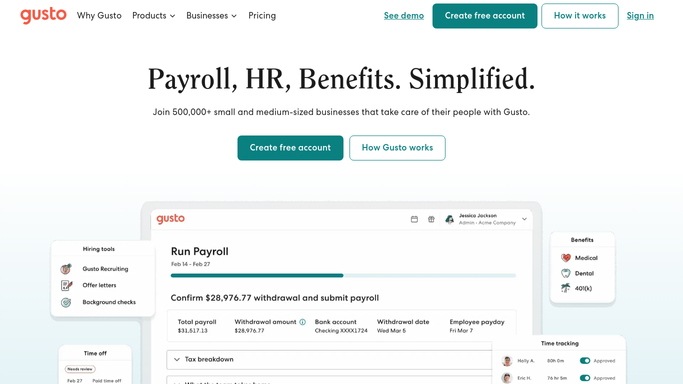
Gusto - read benefit deductions from the latest payroll run
gusto.com How to Automate Gusto

WebRun opens Gusto to read benefit deductions from the latest payroll run. - Open Gusto and navigate to the most recently completed payroll run
- Read each employee's benefit deduction line items including health, dental, vision, and 401k
- Compare each deduction to the benefit election amounts recorded in the employee's Gusto profile
- Flag any employee where the actual deduction differs from the expected amount by more than one dollar
- Note whether the discrepancy is an over-deduction or under-deduction
Done when All employee benefit deductions have been compared and discrepancies captured with dollar amounts.
-
2
Google Sheets - log reconciliation report for HR and finance review
google.com How to Automate Google Sheets
WebRun opens Google Sheets to log reconciliation report for HR and finance review. - Open the benefits reconciliation Google Sheet
- Append a new section for the current pay period with all flagged discrepancies
- Include each employee's name, benefit type, expected amount, actual deduction, and the difference
- Add a summary row with the total over-deduction and under-deduction for the period
Done when The Google Sheet has a complete, timestamped reconciliation report for the current pay period.

How do I automatically reconcile benefit deductions in Gusto payroll?
Every Monday, WebRun opens Gusto and reads the benefit deduction amounts applied in the most recent payroll run for health, dental, vision, and 401k. It compares each deduction to the employee's current elections, flags any discrepancy over one dollar, and logs a full reconciliation report in Google Sheets for your HR and finance teams to review and correct.
- Employee benefit deduction errors caught the Monday after each payroll run, not at year-end
- Over- and under-deductions documented in Google Sheets for correction and audit trail
- Expected amounts auto-updated from Gusto elections so the report stays accurate after open enrollment
Built for HR managers · payroll administrators · finance teams · benefits coordinators
How is each run configured?
Secure by default
Connect once, stays signed in
WebRun signs in once and keeps each session in a persistent environment, so every run picks up right where it left off.
Every action is checked against this policy before it runs.
Questions, answered
Will it correct the deduction amounts in Gusto automatically?
No. WebRun flags the discrepancy and logs it in Google Sheets. Correcting a benefit deduction in Gusto requires your HR or payroll administrator to review and update the record manually.
Which benefit types does it reconcile?
It checks health, dental, and vision insurance premiums plus 401k contributions by default, covering the standard benefit deductions managed through Gusto benefits administration.
What if the expected deduction amounts change mid-year?
WebRun reads the expected amounts from each employee's current Gusto benefit elections, so any updates your administrator makes in Gusto are automatically reflected in the next reconciliation run.
Related templates
Put this on autopilot.
Turn it on in minutes - or have our team set it up for you.