Track every payroll garnishment order so nothing is set up late or missed
Every Monday, WebRun opens Gusto, reviews all active and pending garnishment orders including child support, tax levies, and creditor garnishments, checks each order's effective date and setup status, flags any order due to begin deducting within the next two pay periods that is not yet fully configured, and posts a compliance checklist to Slack while tracking status in Airtable.
- No credit card
- Under $0.01 per run
- Cancel anytime
What does WebRun do on every run?
The exact actions WebRun takes, in order - in plain language, so you can adjust anything.
-
WebRun signs in and gets to work
Opens
app.gusto.comin a real browser with your saved login - no setup, no API keys. -
1
Gusto - review garnishment orders and setup status
gusto.com How to Automate Gusto

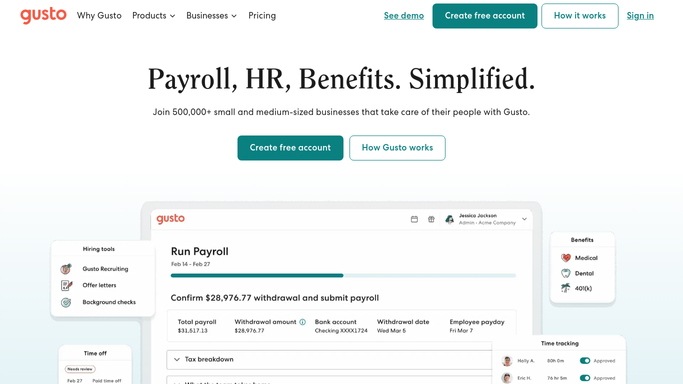
WebRun opens Gusto to review garnishment orders and setup status. - Open Gusto and navigate to the garnishments section under Payroll settings
- Read all active and pending garnishment orders including child support, tax levies, and creditor garnishments
- For each order note the employee, garnishment type, withholding amount, effective date, and current setup status
- Flag any order with an effective date within the next two pay periods that is not yet configured in Gusto
Done when All active and pending garnishment orders are reviewed with setup status and urgency noted.
-
2
Slack - post compliance checklist for payroll team review
slack.com How to Automate Slack
WebRun opens Slack to post compliance checklist for payroll team review. - Post a garnishment compliance checklist to the payroll Slack channel
- Lead with any orders flagged as not yet set up but due to begin witholding soon
- List each order's employee name, garnishment type, withholding amount, and effective date
- Note that missed garnishment withholding can result in employer liability and legal penalties
Done when The payroll team has a prioritized garnishment setup checklist in Slack.
-
3
Airtable - track garnishment setup progress to completion
airtable.com How to Automate Airtable
WebRun opens Airtable to track garnishment setup progress to completion. - Open the garnishment tracker Airtable base
- Upsert each order with its current status, effective date, and setup completion notes
- Mark orders as complete when Gusto shows the deduction configured and active
Done when Airtable reflects current setup status for all garnishment orders.


How do I automatically track payroll garnishment setup and compliance in Gusto?
Every Monday, WebRun opens Gusto and reviews all active and pending garnishment orders including child support, tax levies, and creditor garnishments. It flags any order due to begin withholding within the next two pay periods that is not yet configured, posts a compliance checklist to Slack, and tracks setup progress in Airtable so no garnishment order slips through before it becomes an employer liability.
- No garnishment order begins withholding late due to a setup oversight in Gusto
- Payroll team has two pay periods of advance notice for every incoming order
- Airtable tracker provides an audit trail for all garnishment orders and their setup status
Built for payroll administrators · HR managers · small business owners · finance teams
How is each run configured?
Secure by default
Connect once, stays signed in
WebRun signs in once and keeps each session in a persistent environment, so every run picks up right where it left off.
Every action is checked against this policy before it runs.
Questions, answered
Will WebRun configure garnishment withholding in Gusto automatically?
No. Setting up a garnishment deduction requires human review and input. WebRun flags orders that need to be configured and delivers a checklist, but the payroll team completes the setup in Gusto directly.
What types of garnishments does it track?
It tracks all garnishment types supported by Gusto including child support orders, federal and state tax levies, student loan garnishments, and creditor wage garnishments. Each order type and withholding amount is listed separately.
What happens if a garnishment order is received by email outside of Gusto?
WebRun monitors only what is recorded in Gusto. If a paper or email order has not yet been entered into Gusto by your payroll team, it will not appear in the tracker. All orders should be logged in Gusto as received.
Related templates
Put this on autopilot.
Turn it on in minutes - or have our team set it up for you.