Get a clear monthly labor cost breakdown from Gusto without manual export
On the first Monday of each month, WebRun opens Gusto, pulls all payroll run data for the prior calendar month, breaks down total labor cost by department including gross wages, employer taxes, and benefit contributions, compares the total to the prior month and year-to-date budget, and posts a summary to Slack while writing the full breakdown to a Google Sheet for the finance team.
- No credit card
- Under $0.01 per run
- Cancel anytime
How do I automatically generate a monthly labor cost report from Gusto?
On the first Monday of each month, WebRun opens Gusto, pulls all payroll runs from the prior calendar month, and aggregates gross wages, employer taxes, and benefit contributions by department and employee type. It writes a full breakdown to Google Sheets with YTD tracking and posts a summary to Slack so your finance team has accurate labor cost data without any manual export.
- Monthly labor cost by department available the first Monday of every month with no manual export
- All-in employer cost including taxes and benefits captured, not just gross wages
- YTD tracking in Google Sheets supports budget reviews and headcount planning
Built for finance teams · CFOs · payroll administrators · small business owners
What does WebRun do on every run?
The exact actions WebRun takes, in order - in plain language, so you can adjust anything.
-
WebRun signs in and gets to work
Opens
app.gusto.comin a real browser with your saved login - no setup, no API keys. -
1
Gusto - pull prior month payroll cost by department and type
gusto.com How to Automate Gusto
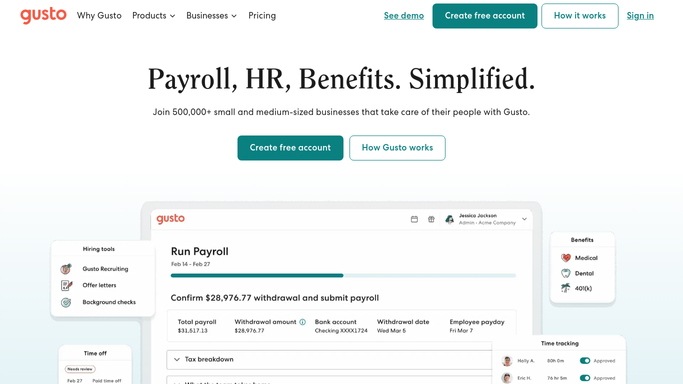
WebRun opens Gusto to pull prior month payroll cost by department and type. - Open Gusto and navigate to the payroll history section
- Pull all payroll runs completed in the prior calendar month
- Aggregate gross wages, employer payroll taxes, and employer benefit contributions for each run
- Break down totals by department and by employee type, separating regular employees from contractors
- Calculate total employer cost per department including all tax and benefit burden
Done when Prior month payroll costs are fully aggregated by department, employee type, and cost category.
-
2
Google Sheets - write full labor cost breakdown and YTD tracking
google.com How to Automate Google Sheets

WebRun opens Google Sheets to write full labor cost breakdown and YTD tracking. - Open the monthly labor cost Google Sheet
- Write a new tab for the prior month with gross wages, taxes, and benefit costs by department
- Update the YTD summary tab with the new month's actuals versus budget
- Add a prior-month comparison column showing the change in absolute dollars and percentage
Done when Google Sheets has a complete, formatted labor cost breakdown for the prior month with YTD totals.
-
3
Slack - post monthly labor cost summary to finance team
slack.com How to Automate Slack

WebRun opens Slack to post monthly labor cost summary to finance team. - Post a monthly labor cost summary to the finance Slack channel
- Lead with total employer labor cost for the month and the change versus prior month
- Highlight the largest departments by cost and any department with a significant month-over-month change
- Include a link to the Google Sheet for the full breakdown
Done when Finance team has the monthly labor cost summary in Slack with a link to the full report.
How is each run configured?
Secure by default
Connect once, stays signed in
WebRun signs in once and keeps each session in a persistent environment, so every run picks up right where it left off.
Every action is checked against this policy before it runs.
Questions, answered
Does it include all-in employer cost or just gross wages?
It reports total employer cost including gross wages, employer-side payroll taxes such as FICA and FUTA, and employer benefit contributions from Gusto, giving you the true cost of each department's headcount.
How does it break down contractors versus employees?
It separates regular W-2 employees from 1099 contractors in the report because contractor payments carry no employer tax burden. Each is subtotaled separately so your labor cost analysis reflects the correct cost structure.
Can it compare actual labor cost against a headcount budget?
If you provide a budget tab in the Google Sheet with monthly targets by department, WebRun will write an actuals versus budget comparison column on each monthly report automatically.
Related templates
Put this on autopilot.
Turn it on in minutes - or have our team set it up for you.