Stay on top of every OBGYN prior authorization before it delays care
Every morning, WebRun opens Tebra, reviews all prior authorizations for OBGYN procedures and services, identifies those pending beyond 5 business days, expiring within 14 days, or recently denied, and posts a concise status digest to Slack for your authorization team to action.
- No credit card
- Under $0.01 per run
- Cancel anytime
How can I automatically track OBGYN prior authorization status and expirations?
WebRun opens Tebra every morning and reviews all OBGYN prior authorizations, grouping them into three buckets: pending beyond 5 days, expiring within 14 days, and recently denied. A concise Slack digest gives your authorization team a daily action list so care delays and missed renewals are caught before they happen.
- Authorization team starts each day with a grouped, prioritized action list in Slack
- Expiring authorizations are caught 14 days in advance, preventing last-minute lapses
- Denied authorizations with reason codes are surfaced the same morning for faster appeals
Built for OBGYN practices · women's health clinics · obstetrics billing teams · gynecology surgery centers
What does WebRun do on every run?
The exact actions WebRun takes, in order - in plain language, so you can adjust anything.
-
WebRun signs in and gets to work
Opens
app.tebra.comin a real browser with your saved login - no setup, no API keys. -
1
Tebra - review prior authorization statuses
tebra.com How to Automate Tebra
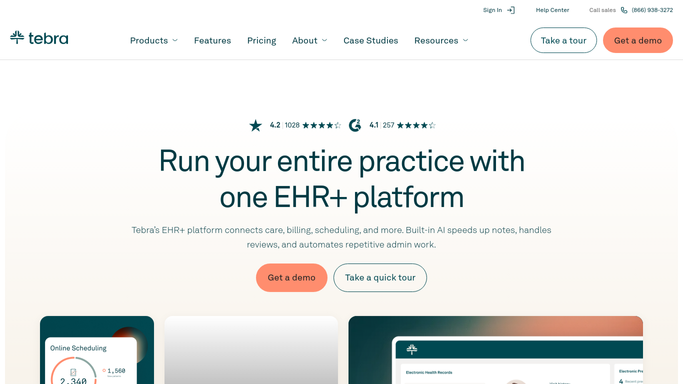
WebRun opens Tebra to review prior authorization statuses. - Open Tebra and navigate to the Prior Authorizations section
- Filter for authorizations that are Pending beyond 5 business days, Expiring within 14 days, or Denied
- Capture payer name, procedure or service, patient initials, submitted date, and current status
- Note any denials with a reason code for the appeals column
Done when All at-risk prior authorizations are captured with their current status and payer details.
-
2
Slack - post daily auth status digest
slack.com How to Automate Slack

WebRun opens Slack to post daily auth status digest. - Post a grouped Slack digest to the authorization team channel: Pending Over 5 Days, Expiring Soon, and Denied sections
- List each auth with payer, procedure, patient initials, and days in current status
- Include a count summary at the top so the team sees the scope at a glance
Done when The authorization team has today's prior auth status digest in Slack sorted by urgency.
How is each run configured?
Secure by default
Connect once, stays signed in
WebRun signs in once and keeps each session in a persistent environment, so every run picks up right where it left off.
Every action is checked against this policy before it runs.
Questions, answered
Will it contact the insurance payer or submit appeals automatically?
No. WebRun only surfaces the status information in Slack for your authorization team to act on. All payer calls, portal submissions, and appeal letters are handled by staff to ensure accuracy and maintain proper documentation.
Which OBGYN procedures typically need prior authorization?
Common OBGYN procedures requiring prior auth include hysteroscopy, laparoscopy, certain ultrasounds, infertility treatments, and some postpartum services. WebRun tracks whatever authorization requests exist in Tebra, regardless of procedure type.
How does it define an authorization as expiring soon?
WebRun flags any approved authorization with an end date within the next 14 calendar days. The 14-day window gives your team time to request a renewal before the authorization lapses and care is interrupted.
Related templates
Put this on autopilot.
Turn it on in minutes - or have our team set it up for you.