How to Automate Tebra
Tebra automates the visit itself: appointment reminders, online scheduling, digital intake, eligibility checks in seconds and electronic claim submission. What stays manual is everything on a payer's portal, a lab's result site or the bank. Reading those screens and turning them into a worklist is the job worth handing to an agent like WebRun.
 Written by
Elliot Nakamura
Platform writer
Written by
Elliot Nakamura
Platform writer
 Reviewed by
Devon Ruiz
Workflow engineer
Reviewed by
Devon Ruiz
Workflow engineer
The chart, the schedule and the claim sit behind one login
Tebra is the practice management and electronic health record platform used by independent medical practices and the billing companies that work for them. It was formed when Kareo and PatientPop merged, and plenty of people still say Kareo.
A private practice is a small business with a clinical licence attached. Two or three providers, a front desk, somebody doing the billing, and a landlord. Tebra holds nearly all of it: the appointment book, the patient chart, the note from this morning's visit, the claim that goes out tonight, the balance the patient still owes, and the website the patient found you through.
That concentration is the point. An OBGYN clinic or a podiatry office cannot run four systems with four logins and a person employed to keep them agreeing. So one platform carries the schedule, the record and the money, and everyone in the building works out of it.
Half the billing week happens on somebody else's website
Ask the billing person what their week actually consists of, and very little of it is inside Tebra.
It is logging into a payer portal to find out why a claim came back. It is filing a prior authorization on an insurer's site and then checking every couple of days whether it has been approved, because nothing arrives to tell you. It is chasing a lab or an imaging centre for a result ordered three weeks ago. It is downloading a remittance from a clearinghouse. It is confirming that Tuesday's card payment reached the practice account.
Each one is a different website, a different login, a different session timeout and a different place the useful number is hidden. None of it is difficult. All of it is somebody's afternoon, and the practice only notices when that person takes a week off and the denials stack up.
Reminders and eligibility checks already run without being asked
Tebra automates a great deal of the visit, and a practice paying for it should use all of this before adding anything.
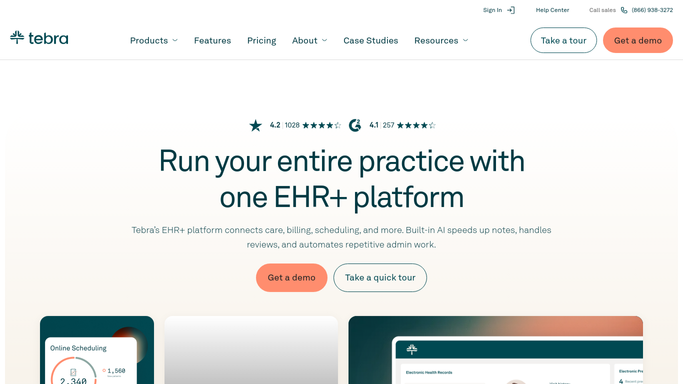
Appointment reminders go out on their own by text, email or phone, which is the cheapest fix for no-shows there is. Patients book through online scheduling and complete digital intake forms before they arrive, so the chart exists before the person does. Secure two-way messaging keeps the conversation off the front desk phone. On the money side, insurance eligibility comes back in seconds with the deductible, the co-pay and the co-insurance on it, and claims are scrubbed and submitted electronically. There is a patient portal, telehealth, electronic labs and a practice website. AI Note Assist drafts the clinical note, and AI Review Replies drafts an answer to a review.
Every one of those runs on something Tebra already holds: an appointment, a chart, a claim.
The moment the answer lives somewhere else, it stops. Tebra cannot log into a payer's portal and read a denial reason, check the status of an authorization filed on an insurer's site, or see the imaging centre's result portal, the state registry or the bank. Those sit behind logins that belong to somebody else, and that is where the unpaid hours go.
The gap between a referral and its result can close itself
The answers a practice waits on already exist, dated and complete, behind somebody else's login.
Every open authorization checked each morning on the insurer's own site, with the approvals moved on and the ones still pending listed by how long they have been waiting. Denials read out of the payer portal and turned into a worklist that names the claim, the payer and the reason, rather than a queue somebody has to interrogate one line at a time.
Referrals and orders followed all the way to their result: the mammogram ordered in March, the pathology that was never reported back, the specialist appointment the patient may or may not have attended. In a specialty practice those open loops are a clinical risk long before they are an administrative one.
Card takings compared against what actually landed in the practice account. Patient balances past sixty days assembled into one list with the amounts and the ages on it, ready for a person to work through.
Keep the boundary firm on both sides of that. Reading a portal and assembling a list can run unattended quite safely. Nothing should change a patient record, and nothing should make a clinical call.
Nobody trained for years to refresh a payer portal
The insurer will not send the status over. It sits on a screen for whoever signs in and looks, which is how the person hired to run a practice ends up refreshing a portal.
WebRun is an AI agent that works a real Chrome browser, signed in as you. It opens the payer portal, the clearinghouse or the lab's result site, reads what is on the screen, and hands you the list: what was approved, what was denied and why, what is still outstanding.
It runs on your schedule in your own private environment, and you can watch a run and stop it mid-way. It does not write to a chart. Anything going to a patient is drafted and waits for a person to send it.
The workflows below are already built, and each one names the sites it opens.
Questions people ask
Will it file a claim or an authorization on our behalf?
No. It reads what the payer site says and gives you the list. Submitting a claim or an authorization is an action with money and a patient attached, so it is prepared for a person and left for them to send.
We still call it Kareo. Is that the same system?
Yes. Kareo merged with PatientPop to form Tebra, and the practice management, EHR and billing side is what most people mean when they still say Kareo. Everything here applies to it.
Our billing is outsourced. Does this help the practice or the biller?
Both, and they are different jobs. A billing company gets denial and authorization worklists across every practice it services. The practice gets the side the biller never sees: results that never came back, referrals that were never closed, balances that are quietly ageing.
23 ready-made Tebra workflows
Each one names the apps it touches and the exact steps it takes. Open one to read what it will do, then turn it on.




Want one of these running on your own Tebra?
Show WebRun the process once and it will run it on schedule, in your own private browser environment.