Prep tomorrow's appointments for eligibility verification
Every evening, WebRun opens Tebra, pulls tomorrow's appointment schedule, reviews each patient's insurance information on file, flags missing subscriber IDs, expired coverage, or mismatched payer data, and delivers a prioritized eligibility prep list to Google Sheets and Slack so your team can resolve issues first thing in the morning.
- No credit card
- Under $0.01 per run
- Cancel anytime
What does WebRun do on every run?
The exact actions WebRun takes, in order - in plain language, so you can adjust anything.
-
WebRun signs in and gets to work
Opens
app.tebra.comin a real browser with your saved login - no setup, no API keys. -
1
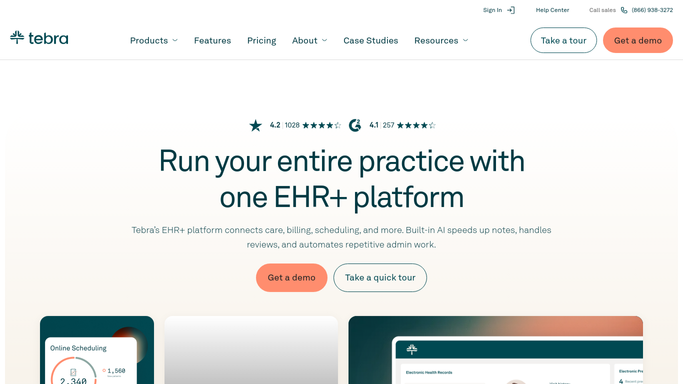
Tebra - pull tomorrow's schedule and insurance data
tebra.com How to Automate Tebra

WebRun opens Tebra to pull tomorrow's schedule and insurance data. - Open Tebra and navigate to tomorrow's appointment schedule
- For each scheduled patient, open their insurance record and check the subscriber ID, group number, payer name, and coverage effective and termination dates
- Flag any patient missing a subscriber ID, with coverage expired or expiring today, or with a payer name that does not match the clearinghouse payer list
- Note the appointment time so urgent gaps can be prioritized by check-in order
Done when Every scheduled patient has been reviewed and flagged ones are identified with the specific issue.
-
2
Google Sheets - build eligibility prep list
google.com How to Automate Google Sheets
WebRun opens Google Sheets to build eligibility prep list. - Write the full appointment list to the eligibility prep sheet with a status column showing Clear or the specific flag for each patient
- Sort flagged patients to the top, ordered by their appointment time
- Record the total count of flagged versus clear patients for this batch
Done when The eligibility prep sheet is updated with tomorrow's full schedule and all flagged patients listed first.
-
3
Slack - alert front-desk team
slack.com How to Automate Slack
WebRun opens Slack to alert front-desk team. - Post a summary to the billing or front-desk channel showing how many appointments are flagged and a link to the prep sheet
- Highlight the first appointment of the day if it has an eligibility issue requiring resolution before the patient arrives
Done when The front-desk team has the flagged count and prep sheet link in Slack before end of business.


How do I automatically prep patient eligibility before tomorrow's appointments?
Every evening, WebRun opens Tebra, reviews every patient scheduled for the next day, and checks their insurance record for missing subscriber IDs, expired coverage, or payer mismatches. It writes a prioritized prep list to Google Sheets and posts a summary to Slack so your team resolves eligibility gaps before patients arrive.
- Eligibility gaps are caught the evening before, not at the time of check-in
- Front-desk team starts each morning with a sorted, actionable prep list
- Claim rejections from bad insurance data are reduced before the patient visit
Built for medical billing companies · front-desk teams · RCM coordinators · physician practices
How is each run configured?
Secure by default
Connect once, stays signed in
WebRun signs in once and keeps each session in a persistent environment, so every run picks up right where it left off.
Every action is checked against this policy before it runs.
Questions, answered
Does it actually run eligibility checks with the payer?
It reviews the insurance data already on file in Tebra and flags gaps or mismatches. Live real-time eligibility checks require a clearinghouse integration, which can be paired with this workflow.
What kinds of issues does it flag?
Missing subscriber IDs, expired or expiring coverage dates, blank group numbers, and payer name mismatches are all flagged with the specific issue noted so your team knows exactly what to resolve.
What if a patient's insurance was updated today?
It reads the live insurance record in Tebra each evening, so any updates made during the day are reflected in that night's eligibility prep list.
Related templates
Put this on autopilot.
Turn it on in minutes - or have our team set it up for you.