See every staffing gap before the shift starts
Every morning, WebRun opens ShiftWizard, checks every unit's staffing against its target for the next 24 hours, ranks the gaps by how soon each shift starts, posts the digest to the staffing office's Microsoft Teams channel, and drafts a recap email through Gmail for whoever runs the daily staffing huddle.
- No credit card
- Under $0.01 per run
- Cancel anytime
How do I see all of tomorrow's nurse staffing gaps in one place?
Every morning, WebRun opens ShiftWizard, checks every unit's staffing against its target for the next 24 hours, and ranks the resulting gaps by how soon each shift starts. It posts the digest to the staffing office's Microsoft Teams channel and drafts a matching recap email for the daily huddle lead to review and send.
- Every unit's staffing gap for the next 24 hours is ranked in one place each morning
- The daily huddle starts with a recap already drafted, not assembled live
- Urgent gaps inside 4 hours are flagged instead of buried in the full list
Built for staffing office coordinators · house supervisors · nurse managers · hospital operations leaders
What does WebRun do on every run?
The exact actions WebRun takes, in order - in plain language, so you can adjust anything.
-
WebRun signs in and gets to work
Opens
www.healthstream.comin a real browser with your saved login - no setup, no API keys. -
1
ShiftWizard - check every unit's staffing gaps
healthstream.com How to Automate ShiftWizard
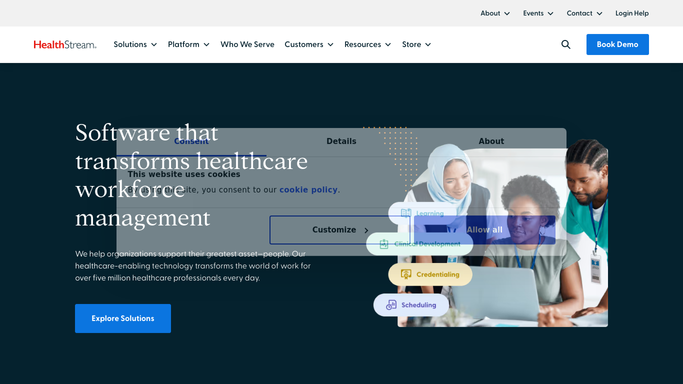
WebRun opens ShiftWizard to check every unit's staffing gaps. - Open ShiftWizard and check every unit's scheduled staffing against its target for the next 24 hours
- Calculate the size of each gap and how many hours remain before the affected shift starts
- Rank units by soonest and largest gap first
Done when Every unit's staffing gap for the next 24 hours is calculated and ranked.
-
2
Microsoft Teams - post the ranked digest
microsoft.com How to Automate Microsoft Teams

WebRun opens Microsoft Teams to post the ranked digest. - Post the ranked gap digest to the staffing office Teams channel
- List each gap with unit, shift time, and hours remaining
- Mark any gap inside 4 hours as urgent
Done when The staffing office has today's ranked gap digest in Teams with urgent gaps marked.
-
3
Gmail - draft the huddle recap
gmail.com How to Automate Gmail

WebRun opens Gmail to draft the huddle recap. - Draft a short recap email summarizing the day's gaps for the staffing huddle lead
- Include the same ranked list as the Teams digest for anyone who missed it
- Leave the email in Drafts for the huddle lead to review and send or forward
Done when A draft huddle recap email is ready, matching the day's Teams digest.
How is each run configured?
Secure by default
Connect once, stays signed in
WebRun signs in once and keeps each session in a persistent environment, so every run picks up right where it left off.
Every action is checked against this policy before it runs.
Questions, answered
Does it try to fill the gaps itself?
No. This digest only surfaces and ranks the gaps. Filling them, whether by float pool, backfill request, or agency staff, is a separate decision made by the staffing office.
Will the huddle recap email send on its own?
No. It is drafted in Gmail and left for the huddle lead to review and send or forward. WebRun does not email anyone directly.
How far ahead does it look for gaps?
The default window is the next 24 hours, ranked by how soon each affected shift starts. The window can be widened or narrowed to match your facility's huddle cadence.
Related templates
Put this on autopilot.
Turn it on in minutes - or have our team set it up for you.