Renew your NuGet API keys before a publish fails
Every Monday, WebRun opens your NuGet account, reads each API key with its scopes and expiry date, records the ones expiring this month in Notion, and sends you a WhatsApp warning naming every key that needs renewing before it breaks a release.
- No credit card
- Under $0.01 per run
- Cancel anytime
How do I get warned before a NuGet API key expires?
WebRun checks your NuGet API keys every Monday. It reads each key's scope and expiry date, logs the ones expiring within 30 days in Notion, and sends you a WhatsApp warning naming each key and the packages it covers, so a release never fails on publish day with a dead key.
- Expiring publish keys are caught weeks before a release
- Every key's scope is recorded next to its expiry date
- Lapsed keys are named before the pipeline error is investigated
Built for .NET developers · package maintainers · DevOps engineers · open source teams
What does WebRun do on every run?
The exact actions WebRun takes, in order - in plain language, so you can adjust anything.
-
WebRun signs in and gets to work
Opens
www.nuget.org/users/account/LogOnin a real browser with your saved login - no setup, no API keys. -
1
NuGet - read API keys and expiry dates
nuget.org
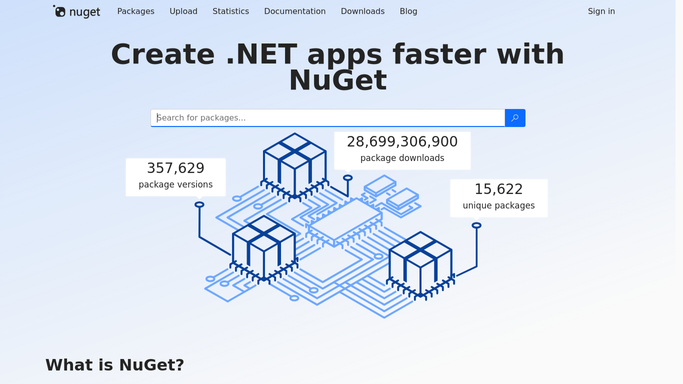
WebRun opens NuGet to read API keys and expiry dates. - Sign in to NuGet and open the API keys page on your account
- Capture every key with its name, expiry date, and the packages or glob pattern it is scoped to
- Note which keys expire within the next 30 days and which have already lapsed
Done when Every API key on the account is listed with its scope and expiry date.
-
2
Notion - log key scopes and renewals
notion.so How to Automate Notion

WebRun opens Notion to log key scopes and renewals. - Open your release operations database in Notion
- Add or update a row per key with its scope, expiry date, and days remaining
- Mark keys renewed since last week as done so the list stays short
Done when Notion holds a current row for every NuGet key with its expiry date.
-
3
WhatsApp - warn you about expiring keys
whatsapp.com How to Automate WhatsApp

WebRun opens WhatsApp to warn you about expiring keys. - Send yourself a short message naming each key expiring in the next 30 days
- Put already lapsed keys first, then the soonest expiry
- Include each key's package scope so you know what a rotation will affect. WebRun never creates, regenerates, or deletes a key
Done when You have this week's key renewal list on WhatsApp.
How is each run configured?
Secure by default
Connect once, stays signed in
WebRun signs in once and keeps each session in a persistent environment, so every run picks up right where it left off.
Every action is checked against this policy before it runs.
Questions, answered
Will it regenerate or delete a NuGet key?
No. WebRun only reads the API keys page and reports what it finds. Creating, rotating, or deleting a key stays a manual step you do yourself, because a rotation breaks any pipeline still holding the old value.
How far ahead does it warn me?
Thirty days by default, and you can change that window. Keys that have already lapsed are listed first so a failing publish is explained before you start debugging the pipeline.
Does it show what each key can publish?
Yes. Every entry carries the key's scope, so you can see whether it covers one package, a glob pattern, or every package you own before you rotate it.
Related templates
Put this on autopilot.
Turn it on in minutes - or have our team set it up for you.