Win back prospects who did not book after their quote
Every morning, WebRun scans SmartMoving for estimates that are 7 or more days old with no booking, drafts a winback email for each prospect with a compelling reason to reconsider, queues it for team review in Gmail, and posts a Slack alert so the right rep can act before the lead goes cold.
- No credit card
- Under $0.01 per run
- Cancel anytime
How do I automatically follow up with prospects who received a moving quote but did not book?
WebRun scans SmartMoving every morning for estimates that are 7 or more days old with no booking, drafts a personalized winback email for each prospect in Gmail, and posts a prioritized Slack list sorted by move date. Every draft waits for a sales rep to review before the prospect is contacted.
- Every aged unbooked estimate gets a winback draft within 24 hours of crossing the 7-day threshold
- Prospects with imminent move dates are flagged as high priority so reps focus where time is short
- Prospects whose move date has passed are automatically excluded so no irrelevant outreach goes out
Built for moving company sales teams · moving coordinators · relocation businesses
What does WebRun do on every run?
The exact actions WebRun takes, in order - in plain language, so you can adjust anything.
-
WebRun signs in and gets to work
Opens
app.smartmoving.comin a real browser with your saved login - no setup, no API keys. -
1
SmartMoving - find aged unbooked estimates
smartmoving.com
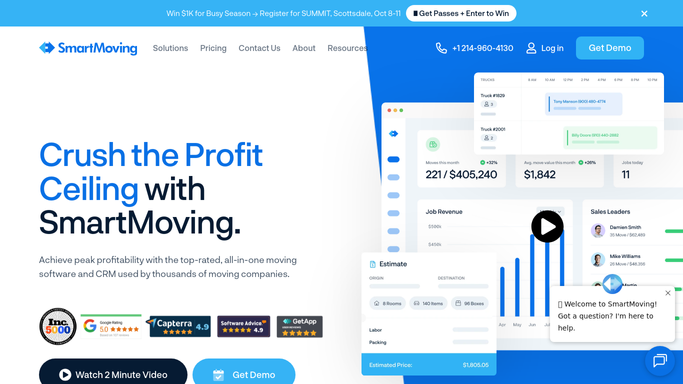
WebRun opens SmartMoving to find aged unbooked estimates. - Open SmartMoving and filter estimates to those created 7 or more days ago with no booking recorded
- Capture the prospect name, email, move date, origin, destination, and original estimate amount
- Skip prospects whose move date has already passed
- Skip any prospect who already received a winback email
- Prioritize prospects with a move date still 14 or more days away since there is still time to book
Done when Every actionable aged estimate is listed with the prospect's details and move timeline.
-
2
Gmail - draft winback email for review
gmail.com How to Automate Gmail

WebRun opens Gmail to draft winback email for review. - Draft a winback email addressed to the prospect by first name
- Acknowledge that their move is coming up and that the original estimate is still available
- Offer a concrete reason to reconsider: price hold, availability of their preferred crew, or a flexible move date
- Include a clear call to action to reply or book directly
- Leave every draft in Gmail for a rep to review and personalize before sending
Done when A winback email draft is waiting in Gmail for every aged unbooked estimate.
-
3
Slack - alert team to winback opportunities
slack.com How to Automate Slack

WebRun opens Slack to alert team to winback opportunities. - Post a daily winback opportunity list to the sales Slack channel
- Sort prospects by move date with the soonest upcoming moves at the top
- Include the prospect name, move route, move date, original estimate amount, and days since quote
- Flag any prospect with fewer than 21 days until their move date as high priority
Done when The sales team has a prioritized winback list and can open the Gmail drafts to review and send.
How is each run configured?
Secure by default
Connect once, stays signed in
WebRun signs in once and keeps each session in a persistent environment, so every run picks up right where it left off.
Every action is checked against this policy before it runs.
Questions, answered
Will it send the winback email to a prospect automatically?
No. Every winback email is drafted in Gmail and waits for a sales rep to review and personalize it before sending. No prospect receives a message without human approval.
How does it decide when to stop chasing a lost quote?
WebRun skips any prospect whose move date has already passed and any who already received a winback email. This keeps outreach focused on prospects where there is still time to convert.
Can it be used for quotes that went cold more than 30 days ago?
Yes. You can adjust the age threshold from 7 days to any window that fits your sales cycle. Longer-aged quotes can be treated as a separate lower-priority batch in the Slack list.
Related templates
Put this on autopilot.
Turn it on in minutes - or have our team set it up for you.