Check who can still read your private channels
Every Monday, WebRun opens Mattermost, reads the member list of each sensitive channel, checks every member against who still works here, flags guests and deactivated accounts still holding access, files the audit in Airtable, and messages the admin the exceptions on WhatsApp.
- No credit card
- Under $0.01 per run
- Cancel anytime
How do I audit who has access to private Mattermost channels?
WebRun opens Mattermost every Monday and reads the member list of each sensitive channel, checking every account against who still works here. It files the audit in Airtable and messages the workspace admin the exceptions on WhatsApp: guests, deactivated accounts, and new additions, so offboarding gaps close before an audit finds them.
- Leavers still holding channel access are found within a week
- Guests on sensitive channels are named, not assumed
- Every week's membership is kept, so a change is traceable
Built for workspace admins · IT security teams · compliance leads · engineering managers
What does WebRun do on every run?
The exact actions WebRun takes, in order - in plain language, so you can adjust anything.
-
WebRun signs in and gets to work
Opens
mattermost.comin a real browser with your saved login - no setup, no API keys. -
1
Mattermost - read channel membership
mattermost.com
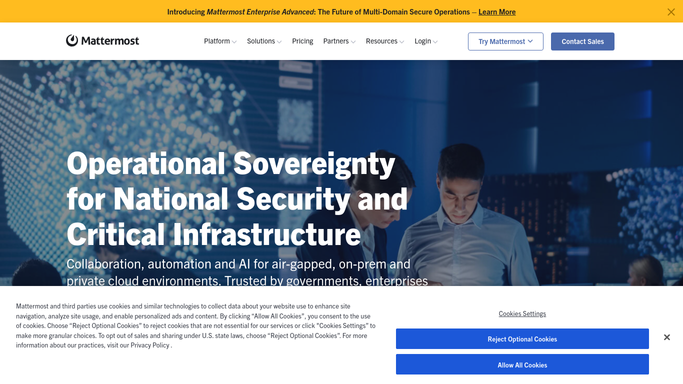
WebRun opens Mattermost to read channel membership. - Sign in to Mattermost and open the teams and channels on your sensitive list
- Read the member list of each channel and record every account on it
- Mark which members are guest accounts and which are full team members
- Check each account against the active user list and flag deactivated accounts
- Note anyone who has had no activity in the channel for a long stretch
Done when Every sensitive channel has a full member list with guests and leavers marked.
-
2
Airtable - file the access audit
airtable.com How to Automate Airtable

WebRun opens Airtable to file the access audit. - Write one row per channel member with the channel, the account, and the account type
- Mark each row as expected, guest, deactivated, or dormant
- Keep prior weeks so an access change can be traced to the week it happened
- Highlight any account added to a sensitive channel since last week
Done when This week's access audit is stored in Airtable with exceptions marked.
-
3
WhatsApp - message the exceptions
whatsapp.com How to Automate WhatsApp

WebRun opens WhatsApp to message the exceptions. - Message the workspace admin the exceptions only, not the full list
- Lead with deactivated accounts still holding channel access
- Follow with guests on sensitive channels and anyone newly added this week
Done when The admin has this week's access exceptions on WhatsApp.
How is each run configured?
Secure by default
Connect once, stays signed in
WebRun signs in once and keeps each session in a persistent environment, so every run picks up right where it left off.
Every action is checked against this policy before it runs.
Questions, answered
Will it remove people from channels?
No. WebRun never removes a member, deactivates an account, or changes a permission. It reads membership and reports exceptions to Airtable and WhatsApp, and the admin makes every removal deliberately.
How does it know someone has left the company?
It checks each channel member against the active user list in your workspace, so a deactivated account still sitting in a private channel is flagged as an offboarding gap.
Does it read any messages?
No. It reads channel membership and account status only. The content of the conversations in those channels is never opened, captured, or posted anywhere.
Related templates
Put this on autopilot.
Turn it on in minutes - or have our team set it up for you.