See where masonry jobs beat or blow the estimate
Every Monday, WebRun pulls actual labor and material costs from QuickBooks for each active masonry job, compares them to the estimated quantities and price in ScopeTakeoff, writes the variance per job to a Google Sheet, and posts you a short summary of where jobs are running over or under.
- No credit card
- Under $0.01 per run
- Cancel anytime
How do I compare masonry job costs against the estimate automatically?
Every Monday, WebRun pulls actual labor and material costs from QuickBooks for each active masonry job and compares them to the estimated quantities and price in ScopeTakeoff. It writes the variance per job to a Google Sheet, flags any job over ten percent, and summarizes the biggest overruns and wins so you can protect margin.
- Overrunning jobs surface within a week, not at closeout
- Every job shows estimate versus actual with the biggest driver named
- Source records in QuickBooks and ScopeTakeoff stay read-only
Built for masonry contractors · restoration owners · construction estimators · project accountants
What does WebRun do on every run?
The exact actions WebRun takes, in order - in plain language, so you can adjust anything.
-
WebRun signs in and gets to work
Opens
quickbooks.intuit.comin a real browser with your saved login - no setup, no API keys. -
1
QuickBooks - pull actual costs
- Open QuickBooks and list active masonry job records
- Read the actual labor, material, and equipment costs booked to each job
- Capture the job name, customer, and cost to date
- Skip jobs with no costs booked yet this period
Done when Actual cost to date is captured for every active job from QuickBooks.
-
2
ScopeTakeoff - read the estimate
scopetakeoff.com How to Automate ScopeTakeoff
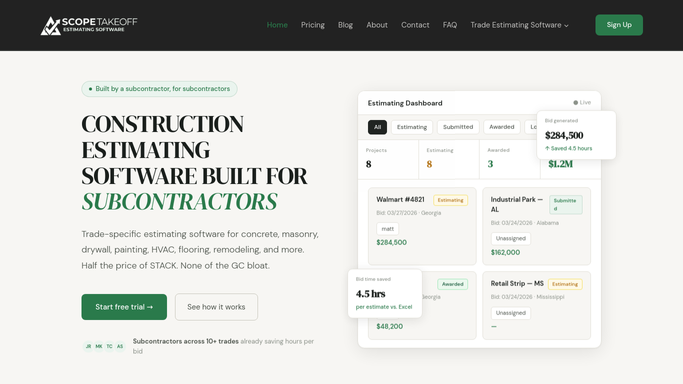
WebRun reads the estimated takeoff from ScopeTakeoff to compare. - Open the matching estimate in ScopeTakeoff for each job
- Read the estimated labor hours, material quantities, and total price
- Line up the estimated cost against the QuickBooks actual for the same job
- Note the largest single driver of any gap, such as mortar or high-access labor
Done when Each job has its estimated cost aligned with its actual cost.
-
3
Google Sheets - log the variance
google.com How to Automate Google Sheets

WebRun writes the estimate versus actual variance to a Google Sheet. - Open the Job Variance sheet
- Write a row per job with estimated cost, actual cost, variance, and percent
- Highlight jobs running more than ten percent over estimate
- Post you a short summary in the sheet notes of the biggest overruns and wins
Done when The variance sheet shows this week's estimate versus actual for every active job.
How is each run configured?
Secure by default
Connect once, stays signed in
WebRun signs in once and keeps each session in a persistent environment, so every run picks up right where it left off.
Every action is checked against this policy before it runs.
Questions, answered
Does it change anything in QuickBooks or the estimate?
No. WebRun only reads costs from QuickBooks and quantities from ScopeTakeoff, then writes the comparison to a separate Google Sheet. It never edits an invoice, a job, or an estimate, so your source records stay untouched.
How does it match a QuickBooks job to its ScopeTakeoff estimate?
It matches on the job or customer name each week and lines up the estimated cost with the actual cost for the same job, flagging any it cannot confidently pair so you can map it once.
What does the variance summary tell me?
It leads with the jobs running furthest over or under estimate and names the biggest driver of each gap, such as mortar quantity or high-access labor, so you can act on the outliers first.
Related templates
Put this on autopilot.
Turn it on in minutes - or have our team set it up for you.