Turn facade inspection enquiries into estimate jobs
Through the day, WebRun watches Gmail for new facade inspection enquiries, pulls the property and contact details out of each, opens a starter estimate in ScopeTakeoff with the address prefilled, and logs the lead to a Google Sheet so every enquiry has an owner and a next step.
- No credit card
- Under $0.01 per run
- Cancel anytime
What does WebRun do on every run?
The exact actions WebRun takes, in order - in plain language, so you can adjust anything.
-
WebRun signs in and gets to work
Opens
mail.google.comin a real browser with your saved login - no setup, no API keys. -
1
Gmail - read inspection enquiries
gmail.com How to Automate Gmail

WebRun reads new facade inspection enquiries in Gmail. - Watch the inbox for new facade or masonry inspection enquiries
- Read the contact name, phone, property address, and described issue from each message
- Skip newsletters, receipts, and threads already handled
- Flag anything urgent, like a reported falling brick or safety hazard
Done when Each new inspection enquiry has its contact and property details captured.
-
2
ScopeTakeoff - open a starter estimate
scopetakeoff.com How to Automate ScopeTakeoff
WebRun opens a starter estimate in ScopeTakeoff with the property prefilled. - Open ScopeTakeoff and create a new estimate for the enquiry
- Prefill the client, property address, and a note of the reported masonry issue
- Tag the job as a facade inspection lead awaiting a site visit
- Leave the estimate as an unpriced draft for your estimator to build
Done when A starter estimate exists in ScopeTakeoff for every new enquiry, ready for pricing.
-
3
Google Sheets - log every lead
google.com How to Automate Google Sheets
WebRun logs each inspection lead to a Google Sheet. - Open the Facade Inspection Leads sheet
- Append a row with the contact, property, reported issue, source, and today's date
- Set the status to New and leave the owner column ready to assign
- Mark any duplicate enquiry as updated rather than adding a second row
Done when Every enquiry is a tracked row in the leads sheet with a status and a date.

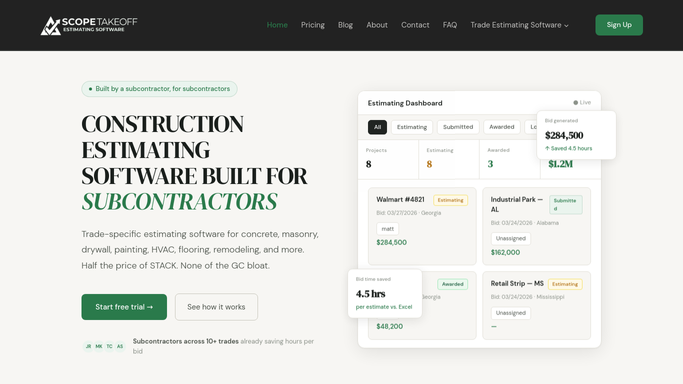

How do I capture facade inspection enquiries into estimates automatically?
Through the day, WebRun watches Gmail for new facade inspection enquiries, reads the property and contact details, and opens a starter estimate in ScopeTakeoff with the address prefilled. It logs each lead to a Google Sheet with a status and source, so every enquiry lands with an owner and a next step and none slips through.
- Every facade enquiry becomes a tracked lead within minutes
- Estimators open ScopeTakeoff to a starter estimate already prefilled
- Urgent safety enquiries are flagged to the top of the list
Built for masonry restoration firms · facade inspection companies · building envelope contractors · estimating teams
How is each run configured?
Secure by default
Connect once, stays signed in
WebRun signs in once and keeps each session in a persistent environment, so every run picks up right where it left off.
Every action is checked against this policy before it runs.
Questions, answered
Will it reply to the enquiry or price the job itself?
No. WebRun only captures the enquiry, opens an unpriced starter estimate in ScopeTakeoff, and logs the lead. It never replies to the sender or fills in pricing, so your estimator stays in control of every quote.
How does it avoid creating duplicate leads?
It checks the leads sheet before adding a row, so a repeat message from the same contact and property updates the existing entry instead of creating a second one.
What if an enquiry looks urgent?
It flags anything describing a safety hazard, such as a reported falling brick or spalling facade, at the top of the sheet so you can triage those inspections first.
Related templates
Put this on autopilot.
Turn it on in minutes - or have our team set it up for you.