Never miss a scaffolding rental window
Every morning, WebRun opens ScopeTakeoff, finds jobs with a high-access labor factor that start soon, blocks the scaffolding erect and strike window on Google Calendar, and posts your operations team a Slack reminder so the rental is booked in time for every facade job.
- No credit card
- Under $0.01 per run
- Cancel anytime
What does WebRun do on every run?
The exact actions WebRun takes, in order - in plain language, so you can adjust anything.
-
WebRun signs in and gets to work
Opens
app.scopetakeoff.comin a real browser with your saved login - no setup, no API keys. -
1
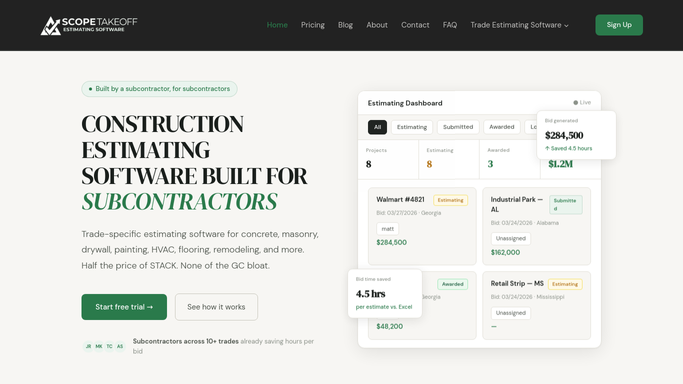
ScopeTakeoff - find high-access jobs
scopetakeoff.com How to Automate ScopeTakeoff

WebRun finds jobs with a high-access labor factor in ScopeTakeoff. - Open ScopeTakeoff and list jobs starting within the next three weeks
- Identify jobs that carry a high-access or scaffolding labor factor in the estimate
- Capture the property, start date, estimated duration, and access height for each
- Skip jobs already tagged as having scaffolding booked
Done when Every upcoming high-access job is listed with its start date and access detail.
-
2
Google Calendar - block the rental window
calendar.google.com How to Automate Google Calendar
WebRun blocks the scaffolding erect and strike window on Google Calendar. - Open the shared operations calendar
- Create an erect event a few days before each job's start date
- Create a matching strike event after the estimated duration
- Title each event with the property, access height, and job reference
- Skip creating an event that already exists for that job
Done when Each high-access job has an erect and strike window on the calendar.
-
3
Slack - remind the team
slack.com How to Automate Slack
WebRun reminds the team of upcoming scaffolding windows in Slack. - Post a reminder to your operations Slack channel
- List each job needing scaffolding, its erect date, and the days remaining
- Flag any job whose erect date is within the supplier's notice period
- Leave the actual rental booking for your coordinator to confirm with the supplier
Done when The team has a reminder of every scaffolding window to book this cycle.


How do I schedule scaffolding rentals for masonry jobs automatically?
Every morning, WebRun opens ScopeTakeoff, finds soon-to-start jobs carrying a high-access or scaffolding labor factor, and blocks an erect and strike window on Google Calendar for each. It then posts your operations team a Slack reminder of every window to book, leaving the rental booking itself for a coordinator to confirm with the supplier.
- Scaffolding is booked before every high-access job starts
- Erect and strike windows sit on a shared calendar automatically
- Jobs inside the supplier notice period are flagged early
Built for masonry restoration firms · facade contractors · scaffolding coordinators · field operations teams
How is each run configured?
Secure by default
Connect once, stays signed in
WebRun signs in once and keeps each session in a persistent environment, so every run picks up right where it left off.
Every action is checked against this policy before it runs.
Questions, answered
Will it book the scaffolding rental with the supplier?
No. WebRun blocks the window on your calendar and reminds the team in Slack. It never contacts the scaffolding supplier or confirms a rental, so your coordinator always places the booking after checking availability and price.
How does it know a job needs scaffolding?
It reads the high-access and scaffolding labor factor on each estimate in ScopeTakeoff, so only jobs actually scoped for elevated work get a rental window and a reminder.
Will it create duplicate calendar events?
No. It checks for an existing erect and strike event before adding one and skips jobs already tagged as booked, so the calendar stays clean across daily runs.
Related templates
Put this on autopilot.
Turn it on in minutes - or have our team set it up for you.