Get warned the moment refunds start spiking
Every morning, WebRun opens Loyverse, totals yesterday's refunds by amount, count, and reason, compares the refund rate against your trailing 30 day average, logs the comparison to Google Sheets, and posts a Slack alert the moment the rate spikes above normal.
- No credit card
- Under $0.01 per run
- Cancel anytime
How do I get alerted when Loyverse refunds spike?
Every morning WebRun opens Loyverse, totals yesterday's refunds by amount, count, and reason, and compares the rate against your trailing 30 day average. It logs the comparison in Google Sheets and posts a Slack alert only when the rate spikes above normal, so a fraud pattern or product issue surfaces the next morning instead of at month end.
- Refund spikes surface the next morning, not at month end
- Only genuine outliers reach Slack, so alerts stay meaningful
- A rolling refund history builds automatically for investigation
Built for retail shops · cafes and restaurants · multi-store owners · loss prevention teams
What does WebRun do on every run?
The exact actions WebRun takes, in order - in plain language, so you can adjust anything.
-
WebRun signs in and gets to work
Opens
r.loyverse.comin a real browser with your saved login - no setup, no API keys. -
1
Loyverse - compare refund rate to normal
loyverse.com How to Automate Loyverse
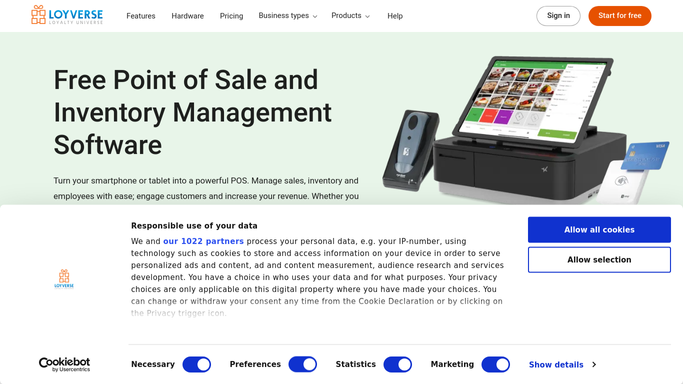
WebRun opens Loyverse to compare refund rate to normal. - Open the Loyverse back office and pull yesterday's refunds by amount, count, and reason
- Calculate yesterday's refund rate as a share of total sales
- Compare it against the trailing 30 day average refund rate
- Capture which items or employees were most associated with refunds
Done when Yesterday's refund rate is calculated and compared to the trailing average.
-
2
Google Sheets - log the daily comparison
google.com How to Automate Google Sheets

WebRun opens Google Sheets to log the daily comparison. - Open the Refund Tracking sheet
- Append a row with yesterday's refund total, count, rate, and the trailing average
- Keep the rolling history so the trend stays visible
Done when Yesterday's refund figures are logged alongside the trend.
-
3
Slack - alert on a spike
slack.com How to Automate Slack

WebRun opens Slack to alert on a spike. - Post an alert only when yesterday's refund rate is meaningfully above the trailing average
- Name the total refunded, the rate, and the most common reason or item
- Stay quiet on a normal day with no spike
Done when A spike alert has posted to Slack whenever refunds ran above normal.
How is each run configured?
Secure by default
Connect once, stays signed in
WebRun signs in once and keeps each session in a persistent environment, so every run picks up right where it left off.
Every action is checked against this policy before it runs.
Questions, answered
What counts as a spike?
A refund rate meaningfully above your trailing 30 day average, not just any single refund. Tell WebRun how sensitive to make the threshold and it will only alert on genuine outliers.
Will it process or approve refunds?
No. WebRun only reads refund activity that already happened in Loyverse and reports on it. It never issues, approves, or blocks a refund itself.
Does it tell me why refunds spiked?
It names the most common refund reason and the item or employee most associated with yesterday's refunds where that data exists in Loyverse, so you have a starting point to investigate.
Related templates
Put this on autopilot.
Turn it on in minutes - or have our team set it up for you.