Chase overdue supplier invoices for your laundromat automatically
Every Monday, WebRun cross-references your outstanding Cents supply orders with overdue payables in QuickBooks, drafts a polite payment-chase email for each overdue supplier invoice, and queues the drafts in Gmail for your approval. Nothing is sent until you review and click send.
- No credit card
- Under $0.01 per run
- Cancel anytime
What does WebRun do on every run?
The exact actions WebRun takes, in order - in plain language, so you can adjust anything.
-
WebRun signs in and gets to work
Opens
www.trycents.comin a real browser with your saved login - no setup, no API keys. -
1
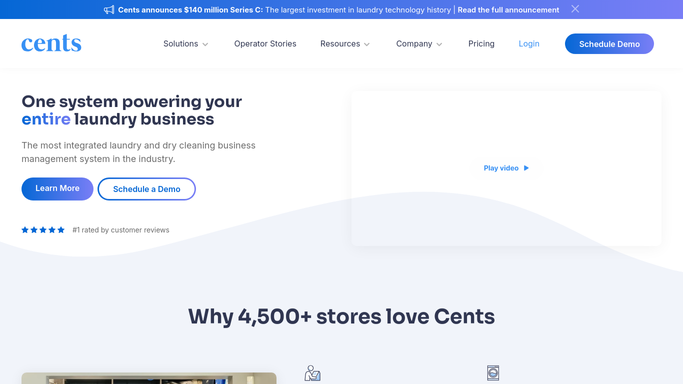
Cents - identify outstanding supply orders awaiting supplier fulfillment
trycents.com How to Automate Cents

WebRun opens Cents to identify outstanding supply orders awaiting supplier fulfillment. - Open Cents and review any pending supply reorders or service requests that reference a supplier
- Note suppliers whose deliveries or service visits are overdue relative to the expected date
- Capture supplier name, item or service, and the original order or service date
Done when All Cents-linked supplier orders that are overdue on delivery are identified.
-
2
QuickBooks - find overdue supplier invoices in payables
- Open QuickBooks and filter the accounts payable aging report to supplier invoices past due
- Capture the supplier name, invoice number, amount, and number of days overdue
- Flag any invoice past due by more than 7 days for priority chase
Done when Every overdue supplier invoice is listed with its aging, amount, and supplier contact details.
-
3
Gmail - draft chase emails and queue for manager approval
gmail.com How to Automate Gmail
WebRun opens Gmail to draft chase emails and queue for manager approval. - Draft a polite, professional chase email for each overdue invoice or delivery
- Include the invoice number or order reference, the amount, and the number of days overdue
- Save every email as a Gmail draft without sending it
- Never send any email to a supplier without manager approval
Done when Every overdue supplier has a personalized chase draft saved in Gmail awaiting your review and send.

How do I automatically chase overdue supplier invoices for my laundromat?
Every Monday, WebRun cross-references outstanding Cents supply orders with the QuickBooks payables aging report, drafts a polite chase email for each overdue supplier invoice, and saves them in Gmail for your review. Nothing is sent until you approve. Overdue supply deliveries and service contracts are flagged in the same run.
- Overdue supplier invoices are chased every Monday without manual payables review
- Draft emails are polished and ready before the manager opens Gmail
- Supplies and service contracts stay current because no invoice quietly ages past due
Built for laundromat owners · laundromat managers · multi-location laundry operators
How is each run configured?
Secure by default
Connect once, stays signed in
WebRun signs in once and keeps each session in a persistent environment, so every run picks up right where it left off.
Every action is checked against this policy before it runs.
Questions, answered
Will it send emails to suppliers automatically?
No. Every chase email is saved as a Gmail draft for manager review. Nothing is sent to a supplier until you open Gmail, review the draft, and click send.
How does it know which invoices are overdue?
It reads the accounts payable aging report in QuickBooks and flags any supplier invoice past its due date. You can set a minimum overdue window (such as 7 days) during setup.
What if a supplier invoice was already paid this week?
WebRun reads the live payables status in QuickBooks each Monday, so any invoice paid since the last run is skipped automatically.
Related templates
Put this on autopilot.
Turn it on in minutes - or have our team set it up for you.