Reconcile your laundromat end-of-day sales against machine revenue every night
Every night, WebRun opens Cents, reads the day's POS transactions, machine revenue, and wash-dry-fold payment totals, pushes the summary figures to QuickBooks for bookkeeping, and posts a reconciliation digest to Slack flagging any discrepancies, voids, or refunds that need review.
- No credit card
- Under $0.01 per run
- Cancel anytime
How do I automate end-of-day reconciliation for my laundromat?
Every night, WebRun pulls the day's POS sales, machine revenue, and wash-dry-fold totals from Cents, pushes a daily summary into QuickBooks for bookkeeping, and posts a reconciliation digest to Slack flagging any voids, refunds, or revenue gaps. Your books stay current and every discrepancy is visible before you close.
- Books are updated in QuickBooks every night without manual data entry
- Voids and revenue gaps are flagged before the store closes
- Multi-location operators see a per-location breakdown in one digest
Built for laundromat owners · laundromat accountants · multi-location laundry operators
What does WebRun do on every run?
The exact actions WebRun takes, in order - in plain language, so you can adjust anything.
-
WebRun signs in and gets to work
Opens
www.trycents.comin a real browser with your saved login - no setup, no API keys. -
1
Cents - pull day's POS and machine revenue totals
trycents.com How to Automate Cents
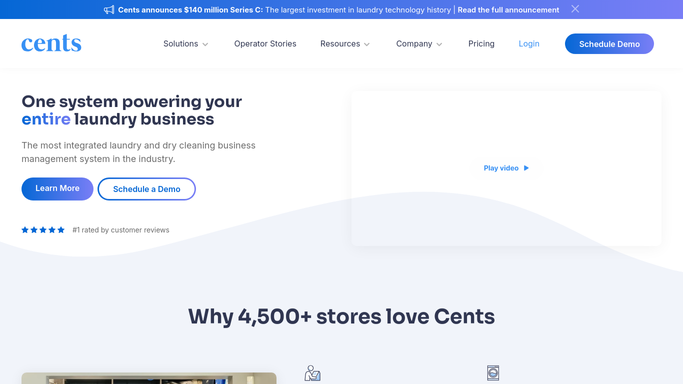
WebRun opens Cents to pull day's POS and machine revenue totals. - Open Cents and navigate to today's transaction summary
- Capture total POS sales, machine revenue by payment type, wash-dry-fold order totals, and any refunds or voids
- Note any payment type gaps where machine revenue does not match POS totals
- Record the count of each transaction type for the reconciliation log
Done when All revenue and transaction figures for the day are captured, including voids and refunds.
-
2
QuickBooks - push daily summary for bookkeeping
- Open QuickBooks and locate today's sales entry or create a new daily summary record
- Enter the total sales, machine revenue, and any refunds in the correct income accounts
- Save the entry for the accountant to review during the next reconciliation
Done when Today's Cents totals are recorded in QuickBooks with the correct account allocations.
-
3
Slack - post reconciliation digest and flag discrepancies
slack.com How to Automate Slack

WebRun opens Slack to post reconciliation digest and flag discrepancies. - Post the reconciliation digest to the operations Slack channel
- Flag any line where machine revenue does not match POS totals
- Highlight voids, refunds, or manual overrides that require manager review
Done when Nightly digest is live in Slack before the store closes with all discrepancies highlighted.
How is each run configured?
Secure by default
Connect once, stays signed in
WebRun signs in once and keeps each session in a persistent environment, so every run picks up right where it left off.
Every action is checked against this policy before it runs.
Questions, answered
Will it make changes to my QuickBooks books automatically?
WebRun enters the daily summary into QuickBooks, but your accountant still reviews and formally reconciles the books. It saves the data-entry time, not the review step.
What kind of discrepancies does it flag?
It flags gaps between machine revenue and POS totals, voided transactions, manual refunds, and any payment type that is higher or lower than the prior-week daily average.
Does it work for multi-location laundromats?
Yes. WebRun pulls and reconciles figures for each location separately and rolls them up into one digest with per-location breakdowns so you can spot which store needs attention.
Related templates
Put this on autopilot.
Turn it on in minutes - or have our team set it up for you.