Win back lapsed laundromat loyalty members with targeted offer drafts
Every Monday, WebRun opens Cents, finds loyalty or subscription members who have not visited in 30 or more days, drafts a personalized win-back email offer for each in Mailchimp, and posts the draft batch to Slack for your approval before any message is sent to a customer.
- No credit card
- Under $0.01 per run
- Cancel anytime
How do I automatically win back lapsed laundromat loyalty members?
Every Monday, WebRun opens Cents, finds loyalty or subscription members who have not visited in 30 or more days, drafts personalized win-back emails in Mailchimp, and posts a batch summary to Slack for manager approval. No email goes to a customer until you approve, and any member who returned on their own is skipped automatically.
- Lapsed loyalty members are contacted before they forget your store exists
- Win-back offers are personalized to the service each member used most
- No email goes to a customer without manager sign-off
Built for laundromat owners · laundromat managers · multi-location laundry operators
What does WebRun do on every run?
The exact actions WebRun takes, in order - in plain language, so you can adjust anything.
-
WebRun signs in and gets to work
Opens
www.trycents.comin a real browser with your saved login - no setup, no API keys. -
1
Cents - identify lapsed loyalty and subscription members
trycents.com How to Automate Cents
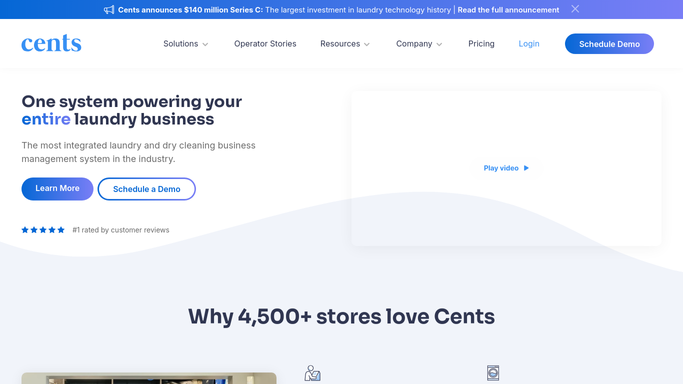
WebRun opens Cents to identify lapsed loyalty and subscription members. - Open Cents and filter loyalty or subscription members by last-visit date
- Identify members with no visit in the past 30 days
- Note each member's name, preferred service type (self-service vs wash-dry-fold), and past spend level
- Skip members who already received a win-back outreach in the past 60 days
Done when A list of eligible lapsed members is compiled with their service preferences and contact details.
-
2
Mailchimp - draft personalized win-back offer emails
mailchimp.com How to Automate Mailchimp

WebRun opens Mailchimp to draft personalized win-back offer emails. - Create a draft campaign in Mailchimp for the lapsed-member segment
- Personalize the subject line and body with the member's name and the service they used most
- Include a win-back offer such as a free wash credit or a first-month discount on a subscription
- Save all drafts without scheduling or sending them
Done when Every lapsed member has a personalized draft win-back email saved in Mailchimp, unsent.
-
3
Slack - queue the draft batch for approval
slack.com How to Automate Slack

WebRun opens Slack to queue the draft batch for approval. - Post a summary to Slack listing the number of lapsed members, the offer used, and a link to the Mailchimp draft campaign
- Ask a manager to review and approve before the campaign is scheduled
- Never send or schedule the emails without explicit approval
Done when Manager sees the draft batch in Slack and can approve or edit before any email goes to a customer.
How is each run configured?
Secure by default
Connect once, stays signed in
WebRun signs in once and keeps each session in a persistent environment, so every run picks up right where it left off.
Every action is checked against this policy before it runs.
Questions, answered
Will it email lapsed members without my approval?
No. Every win-back email is drafted in Mailchimp and the batch summary is posted to Slack for manager approval. Nothing is sent or scheduled until you give the green light.
How does it decide which offer to use?
You configure the win-back offer (such as a free wash credit or a subscription discount) once during setup. WebRun inserts it into every draft and personalizes the message with the member's name and preferred service.
What if a lapsed member already came back on their own?
WebRun checks the latest visit date in Cents each run, so anyone who returned since the last check is removed from the lapsed list automatically.
Related templates
Put this on autopilot.
Turn it on in minutes - or have our team set it up for you.