Track every customer's backflow test deadline and alert your team
Every Monday, WebRun opens Kickserv and scans customer records for annual backflow test due dates falling within the next 30 days, posts a ranked deadline list to your Slack channel for team awareness, and drafts a courtesy reminder email for each affected customer for your review before sending.
- No credit card
- Under $0.01 per run
- Cancel anytime
How do I track and remind customers about backflow test deadlines automatically?
WebRun opens Kickserv every Monday and finds every customer with an annual backflow preventer test due within the next 30 days. It posts a ranked deadline list to Slack for team awareness and drafts a courtesy reminder email for each customer in Gmail, holding all drafts for your approval before any message is sent.
- Backflow test deadlines surface 30 days early so no customer falls out of compliance
- Team sees the full compliance calendar in Slack every Monday morning
- Customer reminders are drafted and held for approval before sending
Built for irrigation contractors · backflow testing services · sprinkler system companies · landscape irrigation businesses
What does WebRun do on every run?
The exact actions WebRun takes, in order - in plain language, so you can adjust anything.
-
WebRun signs in and gets to work
Opens
app.kickserv.comin a real browser with your saved login - no setup, no API keys. -
1
Kickserv - find customers with backflow tests due in 30 days
kickserv.com How to Automate Kickserv
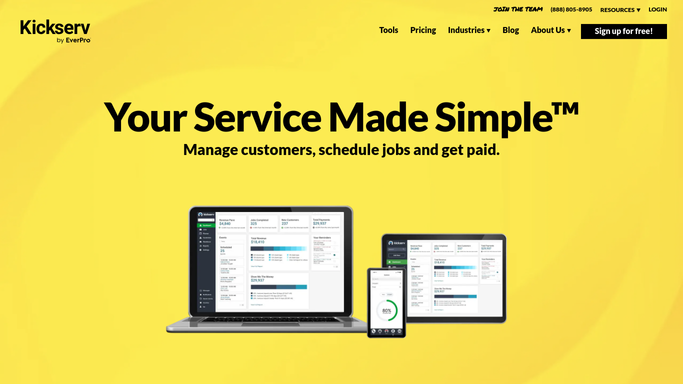
WebRun opens Kickserv to find customers with backflow tests due in 30 days. - Open Kickserv and search customer records and job notes for backflow test due dates
- Filter for due dates falling within the next 30 days
- Capture customer name, address, email, due date, and last test completion date
Done when Every customer with a backflow test due in 30 days is listed with their details.
-
2
Slack - post ranked deadline list to team channel
slack.com How to Automate Slack

WebRun opens Slack to post ranked deadline list to team channel. - Post a ranked list of upcoming backflow test deadlines to your Slack team channel, soonest first
- Flag any customer whose deadline is within 7 days as urgent
- Include the total count of upcoming tests for the month
Done when Your team has this week's backflow deadline list in Slack.
-
3
Gmail - draft courtesy reminder for each customer
gmail.com How to Automate Gmail

WebRun opens Gmail to draft courtesy reminder for each customer. - Draft a courtesy reminder email for each customer noting their upcoming backflow test deadline
- Offer to schedule the test appointment and include your contact details
- Leave every draft unsent for your review - do not send automatically
Done when A Gmail draft reminder exists for every customer with an upcoming deadline, awaiting your approval.
How is each run configured?
Secure by default
Connect once, stays signed in
WebRun signs in once and keeps each session in a persistent environment, so every run picks up right where it left off.
Every action is checked against this policy before it runs.
Questions, answered
Will it email customers about their backflow test without my approval?
No. Every customer reminder is drafted in Gmail and left unsent for your review. Nothing reaches a customer until you personally approve and send the email.
How does it know each customer's backflow test due date?
It reads the due dates recorded in Kickserv customer records and job notes. You set or update these dates after each completed test, and WebRun tracks them from there.
What if a customer's test is already booked or completed?
If the test has a completed job in Kickserv for the current cycle, WebRun excludes that customer from the reminder list automatically to prevent unnecessary outreach.
Related templates
Put this on autopilot.
Turn it on in minutes - or have our team set it up for you.