How to Automate Kickserv
Kickserv automates the return visit well. Repeating jobs create the next service, Automated Scheduling Reminders go back to a customer months after their last one, and invoice reminders chase unpaid balances. What it cannot check is whether the address, the owner or the card on file is still current.
 Written by
Hannah Vogel
Finance operations
Written by
Hannah Vogel
Finance operations
 Reviewed by
Devon Ruiz
Workflow engineer
Reviewed by
Devon Ruiz
Workflow engineer
Kickserv keeps the customers a seasonal trade lives on
Kickserv is field service software for small home service businesses: irrigation and sprinkler shops, landscapers, pool companies, pest control, handyman outfits and small HVAC and electrical firms. The common shape is an owner who is still on the tools, two or three technicians, and no office staff at all.
What it really holds is not the schedule. It is the customer list, and for this trade the customer list is the business. Each record is an address, the equipment installed at it, what was done there last time and what it cost. A shop with four hundred good addresses does not need to win four hundred new jobs next spring. It needs to get back to the same four hundred properties before somebody else does.
The margin sits in the return visit, and the return visit depends entirely on a record staying true from one season to the next.
A list is easy to keep and hard to keep true
Nobody loses a customer list. Every shop that has run five years has one sitting in Kickserv with the history attached.
What decays is whether each line is still worth acting on. Over one winter a house sells and the new owner has never heard of you. A tenant moves out of a rental you serviced for six years. A commercial site changes property management company, so the work order now comes from somewhere else and the invoice has to be lodged there too. A card on file expires. A customer on a two-visit plan has quietly had a competitor in.
So the season starts with somebody working down a list, address by address, guessing. Sometimes it is a phone call. Sometimes it is a reminder sent to a person who moved in November, and that version costs you a reply asking to be left alone.
None of this is skilled work. It is four hundred small checks nobody has time to make in the week the phone starts ringing.
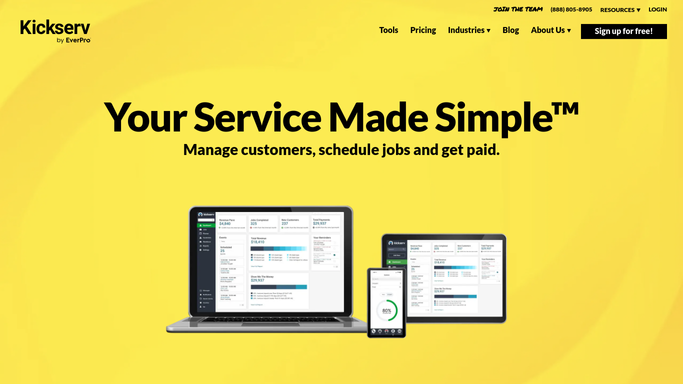
Automated Scheduling Reminders bring last year's customer back
Kickserv automates the return visit properly, and this is the part to set up fully first.
Repeating jobs create the next visit on an interval you choose, with the technicians and recurring charges already attached. Automated Scheduling Reminders reach back to a customer at a monthly interval after their last service, one month, three months or twelve, so a seasonal shop contacts everybody without anybody keeping a diary. A customer reminder goes out as both email and text ahead of a booked visit, with an arrival window on it. Invoice reminders chase unpaid balances at an interval you set, from every three days to every sixty, with the PDF attached. The customer portal lets a customer raise a request, read their history and pay.
Every one of those fires on a record inside Kickserv, and every one of them assumes the record is still correct.
That is the exact assumption the winter broke. Kickserv has no way to learn that a service address changed hands, that a management company was replaced, or that a card expires next month. It sends what it was told to send, to whoever the row still says lives there.
The address is the part that changes
A spring run built on last year's addresses is a guess, and it does not have to be.
Every service address on the spring run checked against the county's public property records, so the dozen that changed hands over winter get an introduction to the new owner instead of a renewal notice to a stranger. The commercial accounts checked in whichever property management portal now holds them, where the work order was raised and where the invoice has to be lodged before anyone gets paid.
Cards approaching expiry found in the processor's dashboard before the recurring job runs, rather than after it fails and somebody has to telephone about money. Municipal and water authority notices read before the route is built, so the schedule matches the restrictions in force this year.
Completed jobs with no invoice against them compared with the accounts package weekly, because in a shop this size the unbilled visit is how money disappears.
Keep the line where the customer is. Checking a public record and comparing two systems can run overnight. Anything going to a homeowner should be read by a person first, because in this trade a wrong message becomes a review before it becomes an apology.
Verifying an address is nobody's trade
Nobody trained as an irrigation fitter in order to read property records on a county website. But somebody has to, or the season's campaign goes out on last year's facts.
WebRun is an AI agent that works a real Chrome browser, signed in as you. It opens the county record, the property manager's vendor portal, the processor dashboard or the accounts package, reads what is there, and either updates the Kickserv record or hands you a short list of the ones that changed.
It runs on your schedule in your own private environment, and you can watch a run and stop it. Every customer message is prepared and left for you to send.
The workflows below are already built, and each one names what it opens.
Questions people ask
Will it text or email my customers on its own?
No. Messages are prepared and left for you. Kickserv's own reminders are the right tool for anything routine, and this handles the checks that decide whether a reminder should go at all.
Could it change a customer record without me knowing?
Only where you allow it, and every change is reported back. The common setting is stricter: it reads the outside source, flags the addresses that no longer match, and leaves the edit to you.
We are three people. Is this more setup than it is worth?
The workflows below are already built and run on a schedule you pick. A small shop feels it most, because there is no office person absorbing four hundred small checks in the busiest fortnight of the year.
13 ready-made Kickserv workflows
Each one names the apps it touches and the exact steps it takes. Open one to read what it will do, then turn it on.



Want one of these running on your own Kickserv?
Show WebRun the process once and it will run it on schedule, in your own private browser environment.