Renew recurring maintenance contracts before they lapse
Every Monday, WebRun opens Kickserv, finds recurring irrigation maintenance contracts expiring in the next 30 days, drafts a personalized renewal reminder in Gmail for each customer, and logs contract status in Notion so your team can track renewals without a spreadsheet.
- No credit card
- Under $0.01 per run
- Cancel anytime
What does WebRun do on every run?
The exact actions WebRun takes, in order - in plain language, so you can adjust anything.
-
WebRun signs in and gets to work
Opens
app.kickserv.comin a real browser with your saved login - no setup, no API keys. -
1
Kickserv - find contracts expiring in the next 30 days
kickserv.com How to Automate Kickserv

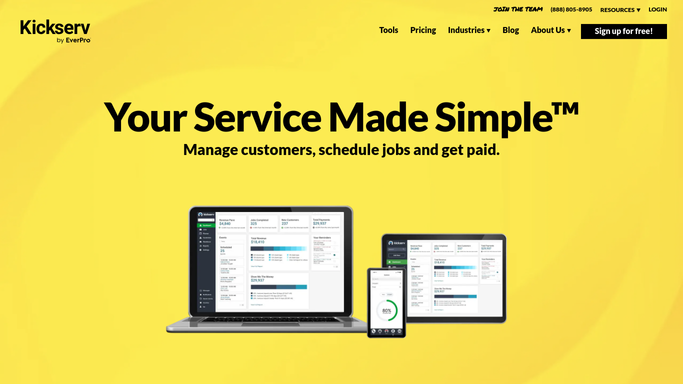
WebRun opens Kickserv to find contracts expiring in the next 30 days. - Open Kickserv and filter recurring jobs or service agreements expiring within 30 days
- Capture customer name, email, contract type, expiry date, and annual contract value
- Flag contracts expiring in under 14 days as urgent renewals
Done when Every contract expiring in 30 days is listed with its value and customer contact.
-
2
Gmail - draft renewal reminder for each customer
gmail.com How to Automate Gmail
WebRun opens Gmail to draft renewal reminder for each customer. - Draft a personalized renewal reminder for each customer referencing their specific contract type and expiry date
- Offer the same or an updated service package and invite them to confirm renewal
- Leave all drafts unsent for your review - do not send automatically
Done when A Gmail renewal draft exists for every expiring contract customer, awaiting approval.
-
3
Notion - log contract renewal status for team visibility
notion.so How to Automate Notion
WebRun opens Notion to log contract renewal status for team visibility. - Upsert a page in the contract renewal Notion database for each expiring contract
- Record the customer name, expiry date, contract value, and draft status
- Update the record when you approve the renewal draft or the customer confirms
Done when All expiring contracts are tracked in Notion with current renewal status.


How do I automatically remind customers to renew their irrigation maintenance contracts?
WebRun checks Kickserv every Monday for recurring maintenance contracts expiring in the next 30 days, drafts a personalized renewal reminder in Gmail for each customer, and logs contract value and status in Notion for your team. All drafts wait for your approval before any customer is contacted.
- Expiring contracts surface 30 days early so no renewal is missed
- Renewal drafts are held for approval so messaging is always on-brand
- Notion tracker shows the full ARR at risk from expiring contracts each week
Built for irrigation contractors · sprinkler system maintenance companies · landscape irrigation businesses · field service subscription managers
How is each run configured?
Secure by default
Connect once, stays signed in
WebRun signs in once and keeps each session in a persistent environment, so every run picks up right where it left off.
Every action is checked against this policy before it runs.
Questions, answered
Will it contact customers about contract renewals without my approval?
No. Every renewal reminder is drafted in Gmail and left unsent for your review. No customer receives any message until you approve and send it yourself.
What if a customer already confirmed their renewal?
WebRun reads the current contract and job status in Kickserv each Monday. Customers with an active renewed contract are excluded from the reminder list automatically.
Can it track the total revenue at risk from expiring contracts?
Yes. The Notion tracker includes the annual contract value for each expiring record, so you can see the total ARR at risk across all contracts due for renewal this month.
Related templates
Put this on autopilot.
Turn it on in minutes - or have our team set it up for you.