Capture every billable chronic care minute
Every night, WebRun opens CGM APRIMA, reads the chronic care management and principal care management time logged that day for each enrolled patient, adds it to a running monthly total on a Smartsheet, and posts a Slack alert once a patient crosses a billing threshold or is at risk of falling short before the month closes.
- No credit card
- Under $0.01 per run
- Cancel anytime
How do I track chronic care management minutes for billing without losing any?
WebRun reads chronic care and principal care management time logged in CGM APRIMA every night and adds it to each enrolled patient's running monthly total on Smartsheet. It posts a Slack alert whenever a patient crosses a billing threshold or risks falling short before the month closes, so no billable minute goes untracked.
- Every logged minute rolls into an accurate monthly total automatically
- Billing thresholds are flagged the day they are crossed, not at month end
- Patients at risk of falling short get flagged while there is still time to act
Built for home based primary care billing teams · practice managers · chronic care management staff · house call medical groups
What does WebRun do on every run?
The exact actions WebRun takes, in order - in plain language, so you can adjust anything.
-
WebRun signs in and gets to work
Opens
www.cgm.com/usa_en/products/electronic-health-records/cgm-aprima.htmlin a real browser with your saved login - no setup, no API keys. -
1
CGM APRIMA - read today's logged CCM time
cgm.com How to Automate CGM APRIMA
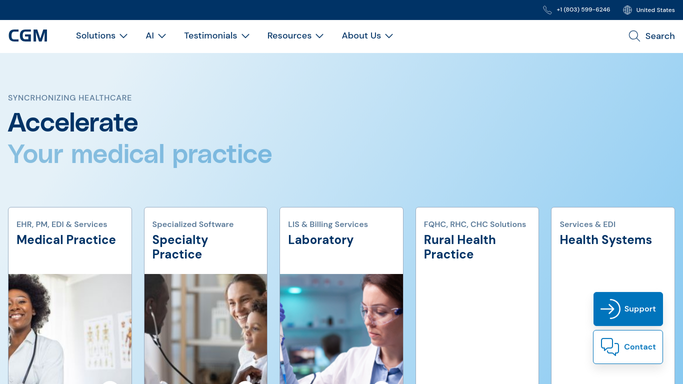
WebRun opens CGM APRIMA to read today's logged CCM time. - Open CGM APRIMA and pull chronic care and principal care management time entries logged today
- Capture the patient, staff member, minutes logged, and the care management program each entry falls under
- Note the enrollment date for any newly enrolled patient
Done when Every CCM or PCM time entry logged today is captured by patient and program.
-
2
Smartsheet - track the running monthly total
smartsheet.com How to Automate Smartsheet

WebRun opens Smartsheet to track the running monthly total. - Open the Chronic Care Time Tracker sheet
- Add today's minutes to each patient's running monthly total
- Recalculate which billing threshold, such as 20 or 60 minutes, each patient has reached this month
Done when The sheet reflects an accurate running monthly total for every enrolled patient.
-
3
Slack - alert on billing thresholds
slack.com How to Automate Slack

WebRun opens Slack to alert on billing thresholds. - Post a Slack alert when a patient crosses a new billing threshold for the month
- Separately flag enrolled patients with fewer than 10 minutes logged as the month nears its close
- Include the current total and the threshold reached for each
Done when The billing team has a Slack alert for every threshold crossed and every patient at risk of falling short.
How is each run configured?
Secure by default
Connect once, stays signed in
WebRun signs in once and keeps each session in a persistent environment, so every run picks up right where it left off.
Every action is checked against this policy before it runs.
Questions, answered
Does it submit the chronic care management claim automatically?
No. WebRun only tracks minutes and flags billing thresholds. Submitting the claim always stays a task for your billing team, so every claim gets a human check before it goes out.
What billing thresholds does it track?
It tracks the standard chronic care and principal care management minute thresholds your practice bills against, and can be configured to match whichever specific codes and thresholds your practice uses.
What happens if minutes were logged late or backdated in CGM APRIMA?
The next night's run picks up any late or backdated entry and recalculates that patient's monthly total, so the tracker stays accurate even if time wasn't logged the same day it was performed.
Related templates
Put this on autopilot.
Turn it on in minutes - or have our team set it up for you.