Draft booking confirmations with site directions
Whenever a new booking is confirmed in GlampManager, WebRun reads the guest name, pod, and dates, drafts a friendly confirmation email in Gmail with your site directions and arrival details, blocks the stay in Google Calendar, and leaves the email ready for you to review and send.
- No credit card
- Under $0.01 per run
- Cancel anytime
How do I send glamping booking confirmations with directions automatically?
When a new booking is confirmed in GlampManager, WebRun reads the guest, pod, and dates, then drafts a warm Gmail confirmation with your directions, gate code, and arrival window and blocks the stay in Google Calendar. The email stays in drafts for you to approve, so every guest gets clear arrival details without you retyping them.
- Every new booking gets a directions email drafted within minutes
- No stay is missed on the calendar because each booking is blocked automatically
- Guests arrive with the gate code and route in hand, cutting arrival day calls
Built for glamping site owners · glampsite managers · campsite operators · holiday park hosts
What does WebRun do on every run?
The exact actions WebRun takes, in order - in plain language, so you can adjust anything.
-
WebRun signs in and gets to work
Opens
www.glampmanager.comin a real browser with your saved login - no setup, no API keys. -
1
GlampManager - read new booking details
glampmanager.com How to Automate GlampManager
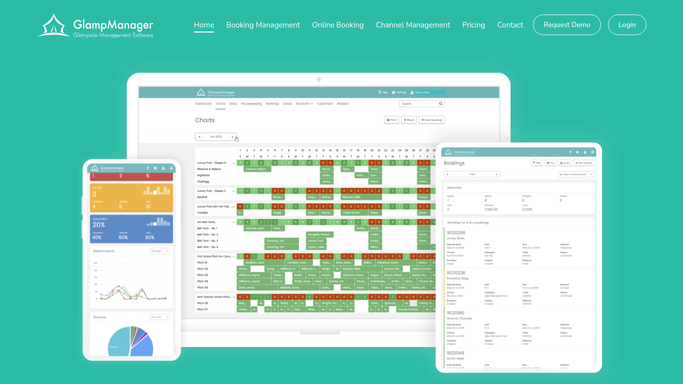
WebRun opens GlampManager to read the new booking. - Open GlampManager and go to the bookings list
- Find the newest confirmed booking not yet acknowledged
- Capture the lead guest name, email, pod or bell tent, arrival and departure dates, and party size
- Note whether a deposit or the full balance was taken
Done when The new booking is captured with guest, unit, dates, and payment status.
-
2
Gmail - draft confirmation with directions
gmail.com How to Automate Gmail

WebRun drafts the confirmation email in Gmail. - Compose a warm confirmation email addressed to the lead guest
- Include the pod name, arrival window, gate code, and full driving directions to the site
- Add parking and check-in notes so guests arrive with no questions
- Save it as a draft and leave it unsent for you to review
Done when A personalized confirmation email sits in drafts, ready for your approval.
-
3
Google Calendar - block the stay dates
calendar.google.com How to Automate Google Calendar

WebRun blocks the stay in Google Calendar. - Open the site availability calendar
- Create an event spanning the arrival to departure dates for that pod
- Title it with the guest name, unit, and party size for a quick glance
Done when The stay is blocked on the calendar with guest and unit details.
How is each run configured?
Secure by default
Connect once, stays signed in
WebRun signs in once and keeps each session in a persistent environment, so every run picks up right where it left off.
Every action is checked against this policy before it runs.
Questions, answered
Will it email the guest without me checking first?
No. WebRun writes the confirmation as a Gmail draft and leaves it unsent. You read it, tweak anything, and hit send yourself, so nothing reaches a guest without your approval.
Can it include our specific gate code and directions?
Yes. Give WebRun your gate code, parking notes, and driving directions once, and it drops them into every confirmation draft so each guest gets accurate arrival details for your site.
What if the booking is only a deposit, not paid in full?
WebRun reads the payment status in GlampManager and notes in the draft whether a deposit or full balance was taken, so you can mention any balance still owed before arrival.
Related templates
Put this on autopilot.
Turn it on in minutes - or have our team set it up for you.