Chase unpaid balances before guests arrive
Every morning, WebRun opens GlampManager, finds bookings arriving soon that still owe a balance, generates a Stripe payment link for each, drafts a polite reminder email in Gmail, and gives you a short chase list, leaving every email queued for your approval before it reaches a guest.
- No credit card
- Under $0.01 per run
- Cancel anytime
What does WebRun do on every run?
The exact actions WebRun takes, in order - in plain language, so you can adjust anything.
-
WebRun signs in and gets to work
Opens
www.glampmanager.comin a real browser with your saved login - no setup, no API keys. -
1
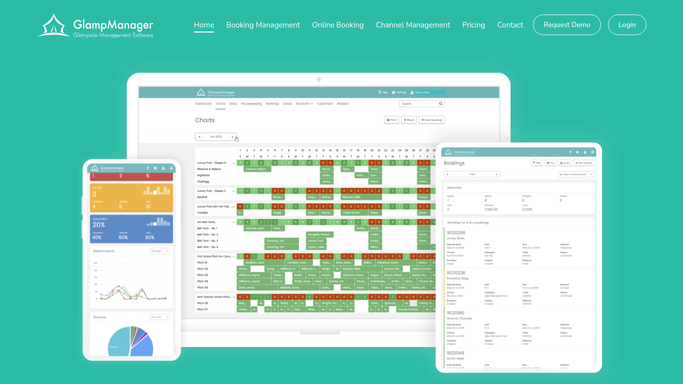
GlampManager - find balances owing before arrival
glampmanager.com How to Automate GlampManager

WebRun opens GlampManager to find balances owing. - Open GlampManager and filter bookings to those arriving in the next 14 days
- Capture any with a deposit only or an outstanding balance
- Record the guest, amount owed, pod, and arrival date for each
- Skip bookings already paid in full
Done when Every booking with a balance owing before arrival is listed with the amount.
-
2
Stripe - create payment links
stripe.com How to Automate Stripe
WebRun creates the Stripe payment links. - Open Stripe and create a payment link for each outstanding balance
- Set the amount to the exact sum owed on that booking
- Label the link with the guest name and arrival date
- Copy each link ready to include in the reminder
Done when A correctly priced Stripe payment link exists for every unpaid booking.
-
3
Gmail - draft polite reminders
gmail.com How to Automate Gmail
WebRun drafts the balance reminders in Gmail. - Draft a warm, polite reminder email to each guest with a balance owing
- State the amount, the arrival date, and paste the matching Stripe link
- Keep the tone friendly, never demanding
- Save each as a draft and leave it unsent for your review
Done when A reminder email with a payment link is drafted for every unpaid booking.


How do I chase unpaid glamping balances before arrival automatically?
Every morning, WebRun opens GlampManager, finds bookings arriving soon that still owe a balance, and creates a Stripe payment link for each. It drafts a polite Gmail reminder with the amount and link and hands you a chase list. Every email stays in drafts for your approval, so no guest is dunned without a human eye.
- Balances get chased days before arrival, not at the gate
- Every reminder carries a working Stripe link so guests can pay in one tap
- Paid bookings drop off the list automatically from live GlampManager data
Built for glamping site owners · glampsite managers · campsite operators · holiday park hosts
How is each run configured?
Secure by default
Connect once, stays signed in
WebRun signs in once and keeps each session in a persistent environment, so every run picks up right where it left off.
Every action is checked against this policy before it runs.
Questions, answered
Will it email guests chasing money without my approval?
No. WebRun drafts every reminder in Gmail and leaves it unsent. You review the tone and amount, then send yourself, so no guest is chased for a balance without a human check first.
Does it charge the card directly?
No. WebRun never charges a card. It creates a Stripe payment link for the exact amount owed and pastes it into the draft, so the guest chooses to pay through Stripe when they are ready.
What if a guest already paid the balance?
WebRun reads the live payment status in GlampManager each morning, so any booking already paid in full is skipped and never appears on the chase list or receives a reminder.
Related templates
Put this on autopilot.
Turn it on in minutes - or have our team set it up for you.