Flag double-booking risk across your OTA channels
Every hour, WebRun opens GlampManager, reads the live availability it syncs to Pitchup, Booking.com, and Airbnb, checks each pod and bell tent for two bookings overlapping the same nights, logs any clash to a Google Sheet, and posts your team an internal Slack alert so a sync gap is caught before arrival.
- No credit card
- Under $0.01 per run
- Cancel anytime
What does WebRun do on every run?
The exact actions WebRun takes, in order - in plain language, so you can adjust anything.
-
WebRun signs in and gets to work
Opens
www.glampmanager.comin a real browser with your saved login - no setup, no API keys. -
1
GlampManager - read synced channel availability
glampmanager.com How to Automate GlampManager

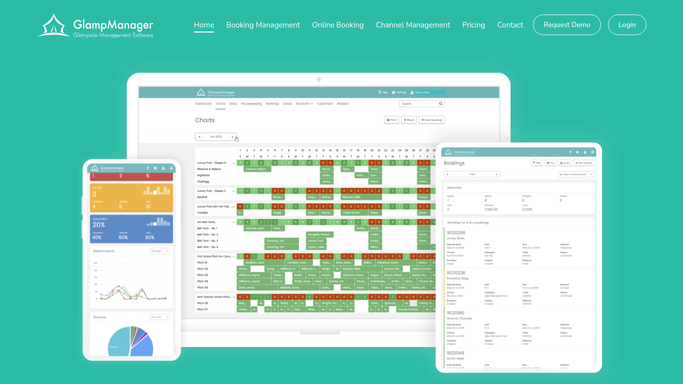
WebRun reads the synced channel availability in GlampManager. - Open GlampManager and view the availability calendar per pod and bell tent
- Read the bookings synced from Pitchup, Booking.com, and Airbnb alongside direct bookings
- For each unit, look for two stays that overlap any of the same nights
- Capture the unit, the two conflicting guests, the channels, and the overlapping dates
Done when Every unit has been checked and any overlapping stays are captured.
-
2
Google Sheets - log any booking clashes
google.com How to Automate Google Sheets
WebRun logs the booking clashes to Google Sheets. - Open the Channel Clash Log sheet
- Add a row for each detected overlap with unit, dates, both channels, and both guest references
- Mark rows already logged as still open rather than duplicating them
- Keep a running tally of open versus resolved clashes
Done when Every current overlap is recorded once in the clash log.
-
3
Slack - alert the team to a clash
slack.com How to Automate Slack
WebRun posts the clash alert to Slack. - Post an internal alert to your operations Slack channel for each new clash
- State the unit, overlapping nights, and which two channels the bookings came from
- Rank clashes by how soon the arrival date falls
- Link to the clash log for the full picture
Done when The team has a Slack alert naming every open double-booking risk.


How do I catch glamping double bookings across OTA channels automatically?
Every hour, WebRun reads the availability GlampManager syncs to Pitchup, Booking.com, and Airbnb, then checks each pod and bell tent for two stays overlapping the same nights. It logs any clash to a Google Sheet and posts an internal Slack alert ranked by arrival date, so a channel sync gap is caught long before two guests turn up.
- Sync gaps surface within the hour, not at the gate on arrival day
- Every clash is logged once with both channels and the overlapping nights
- The team resolves overlaps from a ranked Slack alert before guests travel
Built for glamping site owners · glampsite managers · multi-channel operators · holiday park hosts
How is each run configured?
Secure by default
Connect once, stays signed in
WebRun signs in once and keeps each session in a persistent environment, so every run picks up right where it left off.
Every action is checked against this policy before it runs.
Questions, answered
Will it cancel or move a booking on its own?
No. WebRun only detects and reports overlaps. It logs each clash and posts an internal Slack alert for your team to resolve, so no booking is cancelled, moved, or refunded without a person deciding.
How does it see bookings from Pitchup, Booking.com, and Airbnb?
It reads the availability GlampManager already syncs from those channels through the channel manager, then compares stays per unit, so a clash from any connected OTA is caught in the same pass.
How often does it check for clashes?
Every hour by default, so a sync gap between two channels is usually surfaced within the hour, well before an arrival date. You can set a tighter or looser cadence in your run settings.
Related templates
Put this on autopilot.
Turn it on in minutes - or have our team set it up for you.