Stay ahead of every artist consignment deadline
Every Monday, WebRun opens Artlogic, finds consignment agreements expiring in the next 30 days, logs each one with artist name, artwork title, and expiry date to a Google Sheet, and posts a prioritised action list to Slack for your team to action.
- No credit card
- Under $0.01 per run
- Cancel anytime
How do I track artist consignment expiry dates automatically?
Every Monday, WebRun opens Artlogic and finds every consignment agreement expiring within 30 days. It logs each one with artist name, artwork title, and expiry date to Google Sheets, then posts a prioritised action list to Slack so your team can chase renewals and avoid unplanned returns.
- No consignment deadline is missed because it slipped off the team's radar
- Overdue consignments are surfaced immediately every Monday morning
- The Google Sheet becomes a single source of truth for all active consignments
Built for art galleries · art dealers · gallery operations managers · registrars
What does WebRun do on every run?
The exact actions WebRun takes, in order - in plain language, so you can adjust anything.
-
WebRun signs in and gets to work
Opens
app.artlogic.netin a real browser with your saved login - no setup, no API keys. -
1
Artlogic - find consignments expiring within 30 days
artlogic.net How to Automate Artlogic
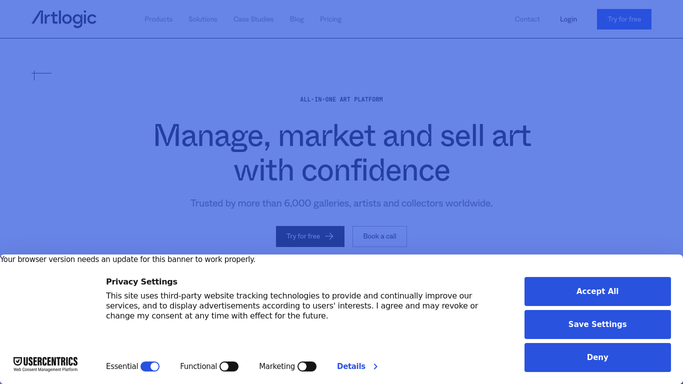
WebRun opens Artlogic to find consignments expiring within 30 days. - Open Artlogic and filter consignment records to those expiring within the next 30 days
- Capture the artist name, artwork title, consignment end date, current sale status, and assigned contact
- Flag any works that have already exceeded their end date as overdue
- Sort the list with the soonest expiries first
Done when All consignments expiring within 30 days are listed, sorted by urgency, with sale status noted.
-
2
Google Sheets - log expiry details and renewal status
google.com How to Automate Google Sheets

WebRun opens Google Sheets to log expiry details and renewal status. - Open the gallery's consignment tracking sheet
- Append or update rows for each expiring consignment with artist, artwork, end date, and sale status
- Mark any previously logged entries whose status has changed to sold or returned
- Timestamp the last-updated column for each row
Done when The Google Sheet reflects the current expiry list with all statuses and timestamps updated.
-
3
Slack - post prioritised action list to team
slack.com How to Automate Slack

WebRun opens Slack to post prioritised action list to team. - Post this week's consignment expiry digest to the gallery operations channel
- List each expiring consignment with artist, artwork, days remaining, and renewal action needed
- Highlight any overdue or same-week expiries at the top of the message
Done when The team has this week's consignment expiry list in Slack, with urgent items flagged.
How is each run configured?
Secure by default
Connect once, stays signed in
WebRun signs in once and keeps each session in a persistent environment, so every run picks up right where it left off.
Every action is checked against this policy before it runs.
Questions, answered
Will it contact artists automatically about renewals?
No. This is an internal tracking workflow. WebRun logs the data and alerts your team in Slack. Outreach to artists is a separate step your team takes after reviewing the list.
How far ahead does it look for expiring consignments?
It flags consignments expiring within the next 30 days by default, with overdue records surfaced at the top of the list so the most urgent items are actioned first.
What if a consignment was already renewed or returned?
It reads the live consignment status in Artlogic each Monday, so records that have been renewed, returned, or sold are reflected accurately in that week's report.
Related templates
Put this on autopilot.
Turn it on in minutes - or have our team set it up for you.