See which works have sat unsold for too long
Every Monday, WebRun opens Artlogic, filters available inventory by time on market, identifies works unsold for 90 days or more, logs the full list to Google Sheets with asking price and consignment status, and posts a Slack digest so the team can plan pricing reviews, offers, or returns.
- No credit card
- Under $0.01 per run
- Cancel anytime
What does WebRun do on every run?
The exact actions WebRun takes, in order - in plain language, so you can adjust anything.
-
WebRun signs in and gets to work
Opens
app.artlogic.netin a real browser with your saved login - no setup, no API keys. -
1
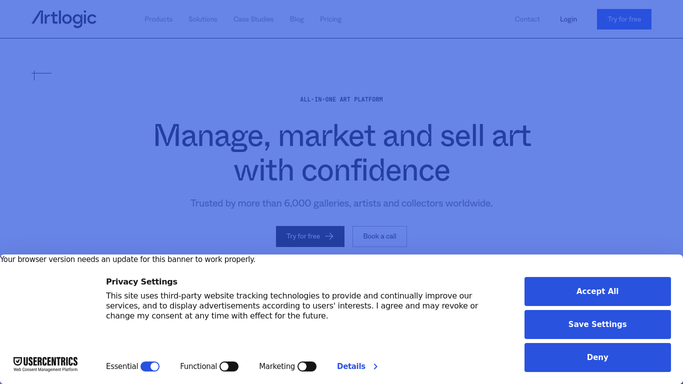
Artlogic - identify available works by time on market
artlogic.net How to Automate Artlogic

WebRun opens Artlogic to identify available works by time on market. - Open Artlogic and filter the inventory to works with a status of available
- Calculate time on market from the date each work was listed or consigned
- Flag any work available for 90 days or more as aged, and any over 180 days as overdue for review
- Capture the artist name, artwork title, medium, asking price, consignment status, and time on market for each flagged work
Done when All available works aged 90 days or more are listed with full pricing and consignment details.
-
2
Google Sheets - log aged inventory with price and status
google.com How to Automate Google Sheets
WebRun opens Google Sheets to log aged inventory with price and status. - Open the gallery's inventory tracking sheet
- Append or update rows for each aged work with artist, title, medium, asking price, days on market, and consignment status
- Highlight rows over 180 days in the sheet for easy visual identification
- Timestamp the report with the date of the last run
Done when The Google Sheet is updated with the current aged inventory list, with long-aged works highlighted.
-
3
Slack - post weekly aged inventory digest
slack.com How to Automate Slack
WebRun opens Slack to post weekly aged inventory digest. - Post a weekly aged inventory digest to the gallery operations channel
- List the top 10 longest-sitting works by days on market with artist and asking price
- Include a link to the full Google Sheets report for complete details
Done when The team has a weekly aged inventory digest in Slack with a link to the full report.


How do I automatically report on unsold aged inventory in my art gallery?
Every Monday, WebRun scans Artlogic for available works that have been on the market for 90 days or more. It logs each one with artist, title, asking price, and consignment status to Google Sheets, then posts a Slack digest of the top slow-moving works so your team can plan pricing reviews, targeted offers, or consignment returns.
- Slow-moving works are surfaced every Monday before they age further without action
- The team has a single, always-current view of inventory performance in Google Sheets
- Pricing review and consignment return decisions are backed by accurate data, not memory
Built for art galleries · gallery directors · art dealers · gallery operations managers
How is each run configured?
Secure by default
Connect once, stays signed in
WebRun signs in once and keeps each session in a persistent environment, so every run picks up right where it left off.
Every action is checked against this policy before it runs.
Questions, answered
Does it automatically reduce prices or contact artists about unsold works?
No. This is a purely internal reporting workflow. WebRun flags the aged works and delivers the report. All pricing, promotion, or return decisions are made by your team after reviewing the data.
What counts as aged inventory?
By default, any available work on the market for 90 days or more is flagged as aged, and works over 180 days are highlighted for priority review. You can adjust these thresholds in the workflow settings.
Does it include consigned works alongside gallery-owned inventory?
Yes. It captures the consignment status for each work so you can see at a glance which aged works are consigned from artists versus owned by the gallery, which affects the review action needed.
Related templates
Put this on autopilot.
Turn it on in minutes - or have our team set it up for you.