Collect the buyer and lender documents a deal needs to fund
Every morning, WebRun opens MenuMetric, compares each pending deal against its funding document checklist, drafts a polite Gmail request to the buyer for anything missing, leaves it unsent for review, and updates a Google Sheets tracker of which deals are blocked and the documents each is waiting on.
- No credit card
- Under $0.01 per run
- Cancel anytime
How do I automatically collect the documents a car deal needs to fund?
WebRun opens MenuMetric each morning and compares every pending deal against its funding document checklist. It drafts a polite Gmail request to the buyer for any missing documents, leaves it unsent for your clerk to approve, and updates a Google Sheets tracker of deals blocked from funding, so contracts get everything they need to fund on time.
- Deals fund faster because the exact missing documents are requested the morning they are found
- No buyer email goes out unreviewed because every request is left as a draft
- The clerk sees which deals are blocked and for how long in one live tracker each morning
Built for F&I managers · funding clerks · dealership finance offices · auto finance directors
What does WebRun do on every run?
The exact actions WebRun takes, in order - in plain language, so you can adjust anything.
-
WebRun signs in and gets to work
Opens
app.menumetric.comin a real browser with your saved login - no setup, no API keys. -
1
MenuMetric - check deals against the funding checklist
menumetric.com How to Automate MenuMetric
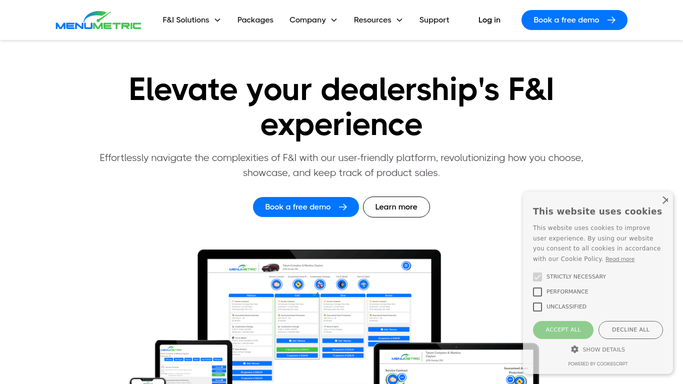
WebRun opens MenuMetric to check deals against the funding checklist. - Open MenuMetric and list deals that are pending funding, not yet funded
- For each deal, compare the documents on file against the lender funding checklist
- Note any missing item such as proof of income, proof of residence, insurance binder, or a signed stipulation
- Capture the buyer, vehicle, lender, and the days the deal has been in transit
Done when Every unfunded deal has a list of exactly which documents are still missing.
-
2
Gmail - draft document requests to the buyer
gmail.com How to Automate Gmail

WebRun opens Gmail to draft document requests to the buyer. - Draft a polite, on-brand email to each buyer listing only the documents they still owe
- Include how to send the documents back and a friendly funding deadline
- Leave every email as an unsent draft for your funding clerk to review and send
- Never email the lender or send anything without a person approving it first
Done when A ready to send draft exists for every buyer with a missing document, all left unsent.
-
3
Google Sheets - track which documents are outstanding
google.com How to Automate Google Sheets

WebRun opens Google Sheets to track which documents are outstanding. - Open the Funding Documents Tracker sheet
- Log a row per blocked deal with the buyer, lender, days in transit, and the exact documents missing
- Update rows where a document arrived and clear deals once every item is in
- Sort so the oldest in transit deals sit at the top for the clerk to clear first
Done when The tracker shows every blocked deal and the documents each is still waiting on.
How is each run configured?
Secure by default
Connect once, stays signed in
WebRun signs in once and keeps each session in a persistent environment, so every run picks up right where it left off.
Every action is checked against this policy before it runs.
Questions, answered
Will it email buyers or lenders without my approval?
No. WebRun writes each document request as an unsent Gmail draft and leaves it for your funding clerk to review and send. It never emails a buyer or a lender on its own.
How does it know which documents a deal is missing?
It compares the documents on file in MenuMetric against the lender funding checklist for that deal, so the request lists only the items the buyer still owes.
What if the buyer already sent the document in?
It reads the live document status in MenuMetric each morning, so anything already received is dropped from the request and the deal falls off the blocked list.
Related templates
Put this on autopilot.
Turn it on in minutes - or have our team set it up for you.