Hand deals from the sales desk to your F&I office cleanly
Every few minutes, WebRun opens MenuMetric, finds deals the sales desk has marked ready for finance, captures the buyer, vehicle, and deal structure, logs a clean intake row to Google Sheets, and holds the next open F&I slot on Google Calendar so each customer is queued in order.
- No credit card
- Under $0.01 per run
- Cancel anytime
What does WebRun do on every run?
The exact actions WebRun takes, in order - in plain language, so you can adjust anything.
-
WebRun signs in and gets to work
Opens
app.menumetric.comin a real browser with your saved login - no setup, no API keys. -
1
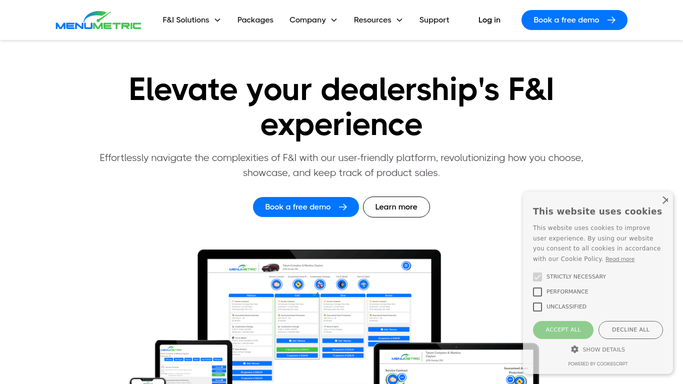
MenuMetric - find deals marked ready for finance
menumetric.com How to Automate MenuMetric

WebRun opens MenuMetric to find deals marked ready for finance. - Open MenuMetric and go to the deal or customer profile list
- Find deals a sales desk has moved to ready for finance since the last run
- Capture the buyer name, co-buyer, vehicle, stock number, sale price, and deal type
- Note the assigned salesperson and the time the deal was marked ready
Done when Every newly ready deal is captured with its buyer, vehicle, and structure.
-
2
Google Sheets - log a clean intake row
google.com How to Automate Google Sheets
WebRun opens Google Sheets to log a clean intake row. - Open the F&I Intake Queue sheet
- Append each new deal as a row, skipping deals already logged
- Record buyer, vehicle, deal type, salesperson, and the time it was marked ready
- Sort the queue oldest ready time first so the office works deals in order
Done when The intake queue lists every ready deal in first ready order with no duplicates.
-
3
Google Calendar - hold the next F&I slot
calendar.google.com How to Automate Google Calendar
WebRun opens Google Calendar to hold the next F&I slot. - Open the shared F&I office calendar
- Hold the next open slot for each newly queued deal with the buyer and vehicle in the title
- Keep slots in wait order so the oldest ready customer is seen first
- Leave the slot as an internal hold for the F&I office to confirm, never inviting the customer
Done when Each ready deal has an internal F&I slot held in wait order.


How do I automatically route ready deals from the sales desk to the F&I office?
WebRun checks MenuMetric every few minutes for deals the sales desk has marked ready for finance. It captures the buyer, vehicle, and deal structure, logs a clean intake row to Google Sheets ordered by wait time, and holds the next open F&I slot on Google Calendar, so each customer is queued in order and no handoff is missed.
- Every ready deal reaches the F&I office within minutes, not after a walk across the showroom
- The office works customers in wait order because the queue and slots follow ready time
- No handoff slips because each ready deal is logged and held once
Built for F&I managers · auto dealership finance offices · sales desk managers · dealer principals
How is each run configured?
Secure by default
Connect once, stays signed in
WebRun signs in once and keeps each session in a persistent environment, so every run picks up right where it left off.
Every action is checked against this policy before it runs.
Questions, answered
Will it invite the customer or message the salesperson directly?
No. WebRun logs the queue in a sheet and places an internal F&I calendar hold only. It never invites the customer to the event or messages the salesperson on its own.
How does it know a deal is ready for the F&I office?
It reads the deal or customer status in MenuMetric each run and only picks up deals the sales desk has moved to ready for finance, so nothing is pulled before the desk is done.
What keeps the same deal from being queued twice?
It checks the intake sheet before appending and skips any deal already logged, so each handoff appears once even though the run repeats every few minutes.
Related templates
Put this on autopilot.
Turn it on in minutes - or have our team set it up for you.