Draft each customer's F&I product menu before they sit down
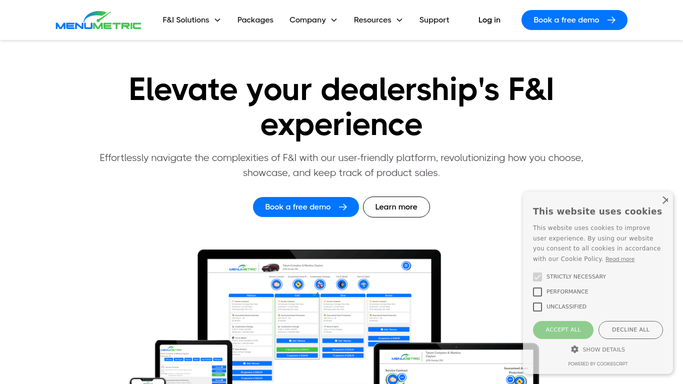
Every few minutes, WebRun opens MenuMetric, reads each deal moving into finance, builds a draft F&I product menu with the eligible products and correct pricing for that vehicle and term, logs what it prepared to Google Sheets, and pings the F&I manager in Slack to review and present it.
- No credit card
- Under $0.01 per run
- Cancel anytime
What does WebRun do on every run?
The exact actions WebRun takes, in order - in plain language, so you can adjust anything.
-
WebRun signs in and gets to work
Opens
app.menumetric.comin a real browser with your saved login - no setup, no API keys. -
1
MenuMetric - draft the eligible product menu
menumetric.com How to Automate MenuMetric

WebRun opens MenuMetric to draft the eligible product menu. - Open MenuMetric and pick up each deal that has moved into finance since the last run
- Read the vehicle year, mileage, term, and amount financed to find eligible products
- Assemble a draft four column menu with products such as VSC, GAP, tire and wheel, and maintenance at their correct rated pricing
- Leave the menu prepared and unpresented so the F&I manager can review, adjust, and present it to the customer
Done when A compliant draft product menu exists for each new deal, left unpresented for review.
-
2
Google Sheets - log the prepared menu
google.com How to Automate Google Sheets
WebRun opens Google Sheets to log the prepared menu. - Open the Prepared Menus sheet
- Log a row per deal with buyer, vehicle, the products included, and each column's total payment
- Skip deals whose menu was already prepared so nothing is duplicated
- Keep a running note of which products were eligible but left off for the manager to add
Done when Every prepared menu is logged with its products and payment columns.
-
3
Slack - tell the F&I manager it is ready
slack.com How to Automate Slack
WebRun opens Slack to tell the F&I manager it is ready. - Post a Slack message to the F&I manager that a menu is drafted and ready to review
- Include the buyer, vehicle, and the products staged on the menu
- Remind the manager the menu is unpresented until they review and take it to the customer
Done when The F&I manager has a Slack note for every menu drafted and ready to present.


How do I automatically prepare an F&I product menu for each customer?
WebRun opens MenuMetric every few minutes, reads each new deal's vehicle and term, and builds a compliant draft F&I product menu with the eligible products at correct pricing. It leaves the menu unpresented, logs what it staged to Google Sheets, and pings the F&I manager in Slack to review before the customer sits down.
- A compliant menu is drafted before the customer sits down, not built while they wait
- The manager reviews and presents every menu so pricing and compliance stay in human hands
- Eligible products are never forgotten because each menu is staged from the live deal
Built for F&I managers · finance directors · auto dealership finance offices · F&I trainers
How is each run configured?
Secure by default
Connect once, stays signed in
WebRun signs in once and keeps each session in a persistent environment, so every run picks up right where it left off.
Every action is checked against this policy before it runs.
Questions, answered
Will it present the menu or price products to the customer on its own?
No. WebRun drafts the menu and leaves it unpresented. Your F&I manager reviews, adjusts pricing, and presents it to the customer, so a person always controls what the buyer sees.
How does it choose which products go on the menu?
It reads the vehicle year, mileage, term, and amount financed in MenuMetric and stages the eligible products at their rated pricing, leaving anything borderline noted for the manager to add.
Does it change the deal or the pricing in MenuMetric?
It only prepares a draft menu for review. It does not finalize the deal, adjust the sale, or commit pricing until the F&I manager presents and confirms it.
Related templates
Put this on autopilot.
Turn it on in minutes - or have our team set it up for you.