Check who can still open your team's docs
Every Monday, WebRun opens Dropbox Paper, walks your team's docs and folders, records which are open to anyone with the link and which outsiders still hold access, writes the audit into a review document in Google Drive, and drafts you a Gmail list of access to revoke.
- No credit card
- Under $0.01 per run
- Cancel anytime
How do I check who still has access to my team's documents?
Every Monday WebRun opens Dropbox Paper, reviews the sharing on your team's docs and folders, and finds the ones open to anyone with the link or shared with people outside the team. It records each in a Google Drive sheet and drafts a Gmail review list, so old client briefs do not stay readable.
- A client brief stops being readable long after the project ended
- Public links on dormant docs are surfaced every week
- Nothing is unshared without a human approving the revoke list
Built for workspace owners · IT administrators · agencies · operations leads
What does WebRun do on every run?
The exact actions WebRun takes, in order - in plain language, so you can adjust anything.
-
WebRun signs in and gets to work
Opens
paper.dropbox.comin a real browser with your saved login - no setup, no API keys. -
1
Dropbox Paper - review sharing on every doc
paper.dropbox.com
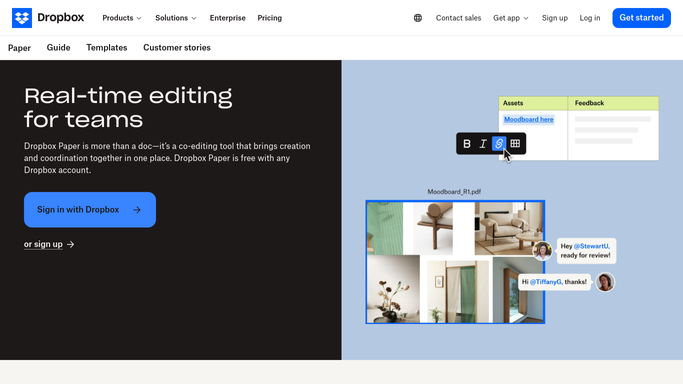
WebRun opens Dropbox Paper to review sharing on every doc. - Open Dropbox Paper and go through the team folders and their docs
- Record each doc's sharing setting and whether a public link exists
- List the members and guests with access and their permission level
- Mark anyone whose email domain sits outside your organisation
- Note the last edit date so long-dormant docs stand out
Done when Every doc has its sharing setting and its full access list captured.
-
2
Google Drive - record the access audit
drive.google.com How to Automate Google Drive

WebRun opens Google Drive to record the access audit. - Update the access review document with one row per doc
- Show the sharing setting, the outside collaborators, and the last edit date
- Flag docs open to anyone with the link and docs untouched for months
- Keep last week's rows so newly opened links are easy to spot
Done when The access review document in Google Drive reflects this week's sharing.
-
3
Gmail - draft the revoke list
gmail.com How to Automate Gmail

WebRun opens Gmail to draft the revoke list. - Draft an email to the workspace owner with the access worth revoking
- Put public links on dormant docs and departed collaborators at the top
- Explain in one line per row why the access is being questioned
- Leave the email as a draft. WebRun never removes access or unshares a doc
Done when A revoke list is drafted in Gmail and no sharing setting has been changed.
How is each run configured?
Secure by default
Connect once, stays signed in
WebRun signs in once and keeps each session in a persistent environment, so every run picks up right where it left off.
Every action is checked against this policy before it runs.
Questions, answered
Will it remove someone's access?
No. WebRun writes the audit and drafts a revoke list. Turning off a public link or removing a collaborator stays a click the workspace owner makes in Dropbox Paper.
Does it read what is inside the docs?
No. It reads sharing settings, member lists, and edit dates. The content of a doc is never copied into the audit or the email draft.
How does it decide what to question?
It flags docs open to anyone with the link, collaborators outside your email domain, and docs untouched for months, since old and widely shared is where the real exposure sits.
Related templates
Put this on autopilot.
Turn it on in minutes - or have our team set it up for you.