Nudge open water students to book their checkout dives
Every morning, WebRun opens Diversdesk, finds open water students who completed pool and theory sessions but have not booked their checkout dives, reads the next open dive slots from the Google Calendar, and drafts an encouraging Gmail nudge with those options for staff to review and send.
- No credit card
- Under $0.01 per run
- Cancel anytime
How do I get open water students to book their checkout dives?
WebRun finds open water students in Diversdesk each morning who finished theory but have not booked checkout dives. It reads the next open slots from your Google Calendar and drafts an encouraging Gmail nudge offering those dates. Every nudge waits unsent for staff to review and send, so no student is contacted without approval.
- More students finish certification instead of stalling after theory
- Every nudge offers real open dive slots from your calendar
- Students who already booked are skipped from live Diversdesk data
Built for dive schools · scuba instructors · dive centers · course directors
What does WebRun do on every run?
The exact actions WebRun takes, in order - in plain language, so you can adjust anything.
-
WebRun signs in and gets to work
Opens
app.diversdesk.comin a real browser with your saved login - no setup, no API keys. -
1
Diversdesk - find students without booked checkout dives
diversdesk.com How to Automate Diversdesk
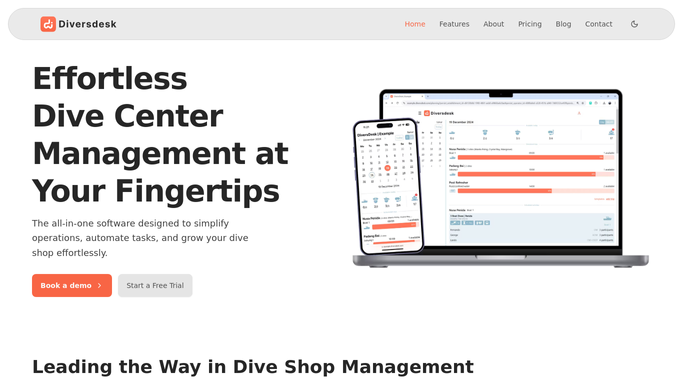
WebRun opens Diversdesk to find students without booked checkout dives. - Open Diversdesk and list open water students who finished pool and theory
- Check each student's schedule for booked checkout or open water dives
- Capture the name, contact, and how long since their last session for students with no dives booked
- Skip students who already have checkout dives on the calendar
Done when Every open water student without booked checkout dives is listed.
-
2
Google Calendar - read open dive slots
calendar.google.com How to Automate Google Calendar

WebRun opens Google Calendar to read open dive slots. - Open the shop Google Calendar and find the next open checkout dive slots
- Note the dates, times, and remaining spots for each
- Pick a short list of options that suit a beginner schedule
Done when A short list of open checkout dive slots is ready to offer.
-
3
Gmail - draft encouraging nudges
gmail.com How to Automate Gmail

WebRun opens Gmail to draft encouraging nudges. - Draft an encouraging, personal nudge to each student to finish their certification
- Offer the open dive slots from the calendar and a simple way to reply and book
- Leave every email unsent in Gmail for staff to review and send. Do not send any nudge automatically.
Done when A nudge email is drafted and waiting for review for each stalled student.
How is each run configured?
Secure by default
Connect once, stays signed in
WebRun signs in once and keeps each session in a persistent environment, so every run picks up right where it left off.
Every action is checked against this policy before it runs.
Questions, answered
Will it email students without me?
No. Every nudge is saved as a Gmail draft for staff to review and send. Nothing reaches a student until a person clicks send, so the tone and the offered slots are always checked first.
Does it offer dive slots that are actually open?
Yes. It reads the next open checkout dive slots straight from your Google Calendar, so the times it offers each student are ones you can actually run.
How does it know a student still needs checkout dives?
It reads each open water student's progress and schedule in Diversdesk. Students who already have checkout dives booked are skipped automatically.
Related templates
Put this on autopilot.
Turn it on in minutes - or have our team set it up for you.