Chase overdue malnutrition follow-ups
Every morning, WebRun opens Computrition, reviews malnutrition screening scores logged in the last 24 hours, flags every high-risk patient without a completed dietitian follow-up, logs the list to a Google Sheet, and reminds the RD team in Slack who still needs a visit today.
- No credit card
- Under $0.01 per run
- Cancel anytime
How do I make sure every high-risk malnutrition screening gets a dietitian follow-up?
WebRun reviews every malnutrition screening logged in Computrition each morning, flags patients scored moderate or high risk who still have no completed dietitian follow-up, and logs the open cases to a Google Sheet sorted by urgency. It then reminds each dietitian in Slack, split by caseload, so no at-risk patient waits past the response window.
- High-risk patients get a dietitian follow-up before the response window closes
- Each RD opens Slack to their own caseload, not the whole hospital's list
- Completed follow-ups drop off the tracker automatically from live Computrition data
Built for clinical dietitians · registered dietitian teams · hospital nutrition services · inpatient nutrition managers
What does WebRun do on every run?
The exact actions WebRun takes, in order - in plain language, so you can adjust anything.
-
WebRun signs in and gets to work
Opens
www.computrition.comin a real browser with your saved login - no setup, no API keys. -
1
Computrition - find high-risk screenings without follow-up
computrition.com How to Automate Computrition
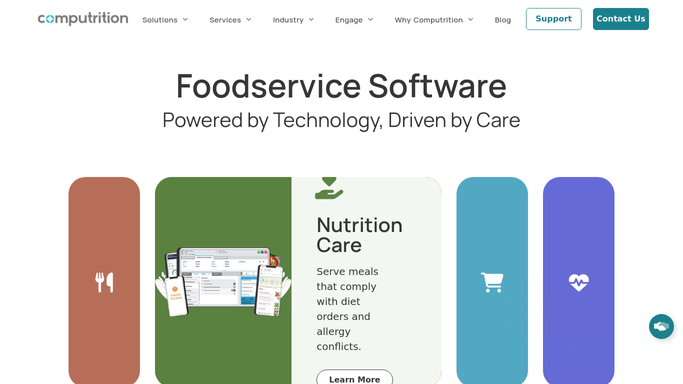
WebRun opens Computrition to find high-risk screenings without follow-up. - Open Computrition and pull malnutrition screening scores logged in the last 24 hours
- Filter for patients scored moderate or high risk
- Check whether a dietitian follow-up note has already been completed for each
- Note the screening tool used, the score, and the patient's unit and room
Done when Every high or moderate risk screening from the last 24 hours has a follow-up status.
-
2
Google Sheets - log the follow-up worklist
google.com How to Automate Google Sheets

WebRun opens Google Sheets to log the follow-up worklist. - Open the Malnutrition Follow-Up Tracker sheet
- Add a row for every screening still missing a dietitian visit
- Mark rows as closed once a follow-up note appears in Computrition
- Sort the open rows by how many hours remain in the response window
Done when The tracker sheet lists every open follow-up, sorted by urgency.
-
3
Slack - remind the RD team
slack.com How to Automate Slack

WebRun opens Slack to remind the RD team. - Post today's open follow-up list to the clinical nutrition Slack channel
- Split the list by RD caseload so each dietitian sees their own patients first
- Flag any screening approaching the end of its response window
Done when Each RD has this morning's follow-up list in Slack, split by caseload.
How is each run configured?
Secure by default
Connect once, stays signed in
WebRun signs in once and keeps each session in a persistent environment, so every run picks up right where it left off.
Every action is checked against this policy before it runs.
Questions, answered
Does it complete the dietitian follow-up note itself?
No. WebRun only flags which patients need a visit and reminds the right dietitian. Writing the clinical follow-up note is always done by the RD in Computrition.
How does it split the list by dietitian?
It reads each patient's assigned RD or unit in Computrition and groups the Slack reminder by caseload, so nobody has to scroll through the whole hospital's list.
What happens once a follow-up is completed?
It reads the live note status in Computrition each morning, so any screening with a completed follow-up drops off the tracker and the Slack list automatically.
Related templates
Put this on autopilot.
Turn it on in minutes - or have our team set it up for you.