Catch diet allergy conflicts before trays leave the kitchen
Every 10 minutes, WebRun opens Computrition, compares new and edited diet orders against each patient's documented allergies and diet restrictions, texts the tray line lead through Twilio the moment it finds a conflict, and posts a log to Slack so nutrition services has a full record of every catch.
- No credit card
- Under $0.01 per run
- Cancel anytime
What does WebRun do on every run?
The exact actions WebRun takes, in order - in plain language, so you can adjust anything.
-
WebRun signs in and gets to work
Opens
www.computrition.comin a real browser with your saved login - no setup, no API keys. -
1
Computrition - check new orders against allergies
computrition.com How to Automate Computrition

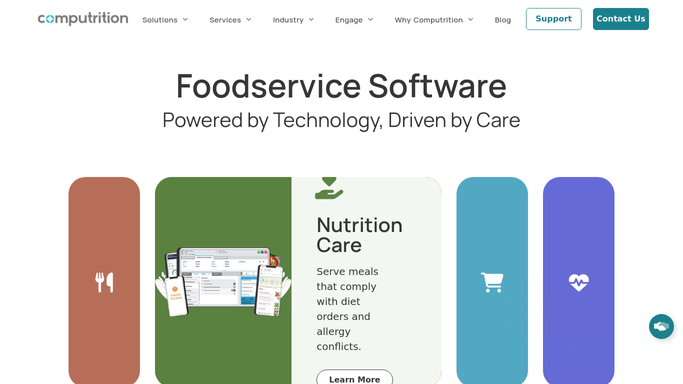
WebRun opens Computrition to check new orders against allergies. - Open Computrition and pull diet orders placed or edited since the last check
- Compare each order's food and diet code against the patient's documented allergies and restrictions
- Flag any order where an allergen or restricted item appears on the tray
- Note the patient's room, unit, and the specific conflict for each flagged order
Done when Every new or edited order has been checked against that patient's allergy record.
-
2
Twilio - text the tray line about a conflict
twilio.com How to Automate Twilio
WebRun opens Twilio to text the tray line about a conflict. - For each conflict, text the on-duty tray line lead with the room number, diet code, and the exact conflict
- Mark the order on hold until a person clears it
- Never text the patient or their family. The alert goes to staff only
Done when The tray line has been texted about every conflict before that tray is assembled.
-
3
Slack - log every conflict caught
slack.com How to Automate Slack
WebRun opens Slack to log every conflict caught. - Post each conflict to the nutrition services Slack channel with the same details
- Keep a running count of conflicts caught today by unit
- Include a note when a hold has been cleared by staff
Done when Nutrition services has a running Slack log of every conflict caught and cleared today.


How do I catch diet allergy conflicts before a tray is delivered?
WebRun checks every new and edited diet order in Computrition every 10 minutes against each patient's documented allergies and restrictions. The moment it finds a conflict, it texts your tray line lead through Twilio with the room, diet code, and the exact conflict, and logs it to Slack, so no allergen reaches a tray before a person clears it.
- Allergy conflicts get caught within 10 minutes of the order being placed
- Tray line staff get a direct text before a flagged tray is ever assembled
- Nutrition services keeps a full Slack log of every conflict caught and cleared
Built for hospital nutrition services · clinical dietitians · tray line supervisors · food and nutrition directors
How is each run configured?
Secure by default
Connect once, stays signed in
WebRun signs in once and keeps each session in a persistent environment, so every run picks up right where it left off.
Every action is checked against this policy before it runs.
Questions, answered
Will it text the patient about the allergy conflict?
No. WebRun only texts your tray line staff through Twilio and logs the conflict to Slack. It never contacts the patient or their family directly.
Does it ever change or clear the order itself?
No. WebRun only reads orders and flags conflicts. Clearing a hold or editing the order in Computrition is always done by a person.
How fast does it catch a new conflict?
Within 10 minutes of the order being placed or changed, since WebRun checks Computrition on that cycle around the clock.
Related templates
Put this on autopilot.
Turn it on in minutes - or have our team set it up for you.