Draft waitlist confirmation emails the moment a spot opens up
Whenever a CSA share or waitlisted product becomes available in Local Line, WebRun checks the waitlist, identifies the next eligible customer in queue order, drafts a personalized reservation confirmation email in Gmail, and leaves it as a draft for your review before the offer is extended.
- No credit card
- Under $0.01 per run
- Cancel anytime
How do I automatically draft waitlist confirmation emails when a CSA spot opens up?
The moment a CSA share or waitlisted product becomes available in Local Line, WebRun checks the waitlist, finds the next eligible customer in queue order, drafts a warm reservation offer email in Gmail with the details and a confirmation deadline, and saves it as a draft for your approval before anything is sent.
- Open CSA spots are offered to the next waitlisted customer within minutes of availability
- No reservation offer is sent without your review and approval
- Manual waitlist management and email drafting are eliminated
Built for CSA farms · farm stand operators · direct-to-consumer farms · small farm owners
What does WebRun do on every run?
The exact actions WebRun takes, in order - in plain language, so you can adjust anything.
-
WebRun signs in and gets to work
Opens
app.localline.coin a real browser with your saved login - no setup, no API keys. -
1
Local Line - detect new availability and identify the next waitlist customer
localline.co How to Automate Local Line
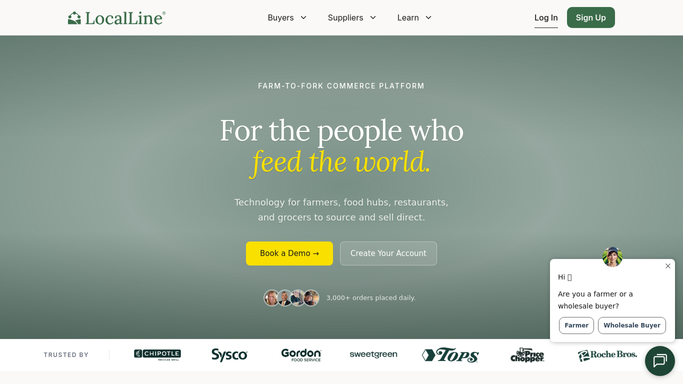
WebRun opens Local Line to detect new availability and identify the next waitlist customer. - Open Local Line and check for products or CSA shares that have become newly available
- Navigate to the waitlist for the relevant product or share type
- Identify the next customer in the queue by sign-up date
- Capture the customer's name, email address, and the share or product they are waiting for
Done when The next eligible waitlist customer is identified with their contact details and requested item.
-
2
Gmail - draft a reservation confirmation email for approval
gmail.com How to Automate Gmail

WebRun opens Gmail to draft a reservation confirmation email for approval. - Draft a warm, personal reservation confirmation email to the waitlisted customer
- Name the share type or product, the availability, and the deadline to confirm
- Include a link to their Local Line account or storefront to complete the reservation
- Save the email as a Gmail draft, never sending without your explicit approval
Done when A reservation offer email draft is saved in Gmail for the next eligible waitlist customer.
How is each run configured?
Secure by default
Connect once, stays signed in
WebRun signs in once and keeps each session in a persistent environment, so every run picks up right where it left off.
Every action is checked against this policy before it runs.
Questions, answered
Will it send the reservation offer to the customer automatically?
No. The email is saved as a Gmail draft only. WebRun never sends a message to a waitlisted customer without your explicit approval.
What if the next person on the waitlist does not respond in time?
Once you set a response deadline in your email draft, you can re-trigger WebRun to move to the next customer on the list if no confirmation is received by that deadline.
Does it skip customers who have already been offered a spot this season?
Yes. You can configure WebRun to skip customers who have already received an offer in the current season, so the same customer is not contacted twice for the same share.
Related templates
Put this on autopilot.
Turn it on in minutes - or have our team set it up for you.