Hand IT a ranked patch list every morning
Every morning, WebRun opens CrowdStrike Falcon, reads the vulnerabilities found across your hosts, ranks them by severity and by how many machines carry each one, posts a short patch list to Slack, and drafts a WhatsApp note to the on-call engineer for anything critical.
- No credit card
- Under $0.01 per run
- Cancel anytime
How do I turn CrowdStrike vulnerability findings into a daily patch list?
WebRun reads the vulnerabilities CrowdStrike Falcon found across your hosts every morning, ranking them by severity and by how many machines carry each one. It posts the day's patch list to Slack and drafts a WhatsApp note for critical findings, so IT patches by real exposure instead of a generic cycle.
- Patching follows real exposure instead of a generic update cycle
- Critical findings reach the on-call engineer the same morning
- The team sees what was fixed yesterday and what is new today
Built for IT operations · security teams · sysadmins · managed service providers
What does WebRun do on every run?
The exact actions WebRun takes, in order - in plain language, so you can adjust anything.
-
WebRun signs in and gets to work
Opens
falcon.crowdstrike.comin a real browser with your saved login - no setup, no API keys. -
1
CrowdStrike - read host vulnerabilities
crowdstrike.com
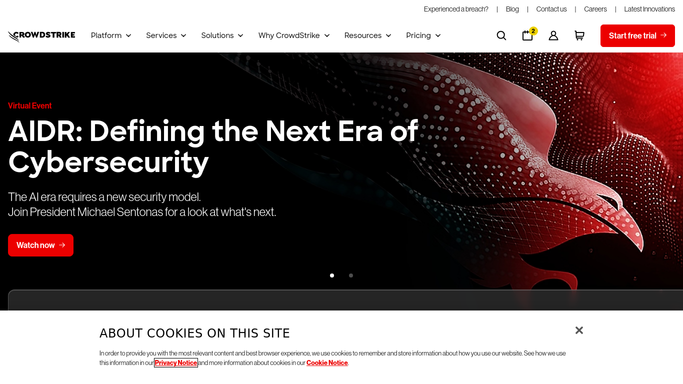
WebRun opens CrowdStrike to read host vulnerabilities. - Open CrowdStrike Falcon and go to the vulnerability view for your hosts
- Capture each open finding: the affected software, the severity, and the number of hosts carrying it
- Group the findings by host group so servers and laptops are ranked separately
- Read the remediation status on each finding and drop anything already marked remediated
- Rank what is left by severity first, then by host count, and keep the top items for the day
Done when Today's open vulnerabilities are ranked by severity and host count, with remediated findings removed.
-
2
Slack - post the ranked patch list
slack.com How to Automate Slack

WebRun opens Slack to post the ranked patch list. - Post the ranked patch list to your IT channel in Slack
- Lead with critical severity findings and the host groups they sit in
- Include the affected software and the host count on each line so the team can size the work
- Show what changed since yesterday: newly found, and findings that dropped off after patching
Done when The IT channel has today's ranked patch list with yesterday's changes noted.
-
3
WhatsApp - draft the on-call note
whatsapp.com How to Automate WhatsApp

WebRun opens WhatsApp to draft the on-call note. - Draft a short WhatsApp note to the on-call engineer covering only critical severity findings
- Name the software and the host group, and keep the message to a few lines
- Leave the message unsent for you to review and send. WebRun never sends it on its own
- Skip the draft entirely on a morning with nothing critical open
Done when A critical-findings note is drafted for the on-call engineer, ready to send.
How is each run configured?
Secure by default
Connect once, stays signed in
WebRun signs in once and keeps each session in a persistent environment, so every run picks up right where it left off.
Every action is checked against this policy before it runs.
Questions, answered
Will it patch anything or change a host?
No. WebRun only reads the vulnerability findings in Falcon and reports them. Patching, isolating a host, and every other change stays with your IT team.
Does it message the on-call engineer on its own?
No. The WhatsApp note is left as an unsent draft for you to review and send. The Slack post is an internal team channel and goes up automatically.
How is the list ranked?
By severity first, then by how many hosts carry the same finding, so a critical issue across forty machines sits above a critical issue on one. Findings already marked remediated are dropped.
Related templates
Put this on autopilot.
Turn it on in minutes - or have our team set it up for you.