Reconcile daily loan payments and land a clean digest in your inbox
Every evening, WebRun opens MeridianLink and pulls the day's loan payment transactions, cross-references each entry against the corresponding row in your Google Sheet ledger, flags amounts that do not match, and emails your accounting team a clean reconciliation digest with any exceptions highlighted.
- No credit card
- Under $0.01 per run
- Cancel anytime
How can a credit union automatically reconcile daily loan payments from MeridianLink?
WebRun pulls all loan payment transactions from MeridianLink each evening, matches them against your Google Sheet ledger by loan number, flags any amount mismatches, and emails your accounting team a reconciliation digest. Clean runs send automatically; any exceptions are held in a Gmail draft for manager review before sending.
- Exceptions are caught the same evening, not during month-end close
- Accounting staff receive a clean digest without manual cross-referencing
- Clean days auto-send so the team only reviews when action is needed
Built for credit union accounting teams · credit union CFOs · finance operations staff
What does WebRun do on every run?
The exact actions WebRun takes, in order - in plain language, so you can adjust anything.
-
WebRun signs in and gets to work
Opens
app.meridianlink.comin a real browser with your saved login - no setup, no API keys. -
1
MeridianLink - pull today's loan payments
meridianlink.com How to Automate MeridianLink
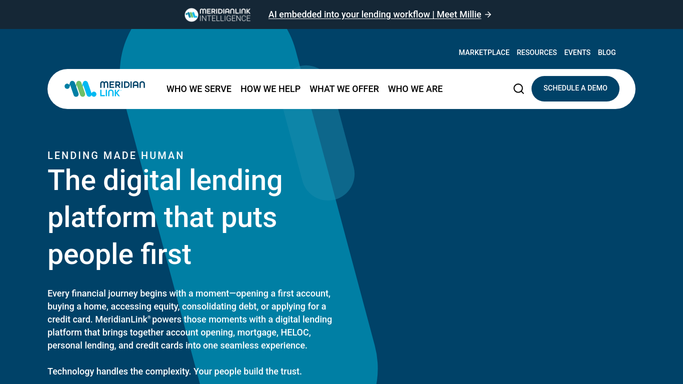
WebRun opens MeridianLink to pull today's loan payments. - Open MeridianLink and navigate to the daily payment transaction report
- Export or read all loan payments posted today including amount, member ID, and loan number
- Note the total count and total dollar amount for the day
Done when All of today's loan payment transactions are captured with full details.
-
2
Google Sheets - cross-reference ledger entries
google.com How to Automate Google Sheets

WebRun opens Google Sheets to cross-reference ledger entries. - Open the accounting ledger Google Sheet
- Match each MeridianLink payment to its corresponding ledger row by loan number and date
- Flag any row where the amounts differ by more than one cent
- Note any MeridianLink payments not found in the ledger and vice versa
Done when Every payment has been matched or flagged as an exception in the sheet.
-
3
Gmail - email reconciliation digest
gmail.com How to Automate Gmail

WebRun opens Gmail to email reconciliation digest. - Draft a reconciliation digest email addressed to the accounting team
- Include the day's totals, the matched count, and a table of exceptions
- Save the draft for a manager to review and send, or send automatically if zero exceptions are found
Done when Accounting team has a reconciliation digest with all exceptions clearly listed.
How is each run configured?
Secure by default
Connect once, stays signed in
WebRun signs in once and keeps each session in a persistent environment, so every run picks up right where it left off.
Every action is checked against this policy before it runs.
Questions, answered
Will it send the digest email automatically or wait for approval?
If there are zero exceptions, the digest sends automatically. When exceptions are found, WebRun saves it as a Gmail draft for a manager to review before sending.
What counts as an exception?
Any payment where the MeridianLink amount differs from the ledger by more than one cent, any payment in MeridianLink missing from the ledger, or any ledger entry with no matching MeridianLink record.
Can it update the Google Sheet with the reconciliation results?
Yes. WebRun can write a status column and timestamp next to each matched row in the sheet so your ledger reflects the daily reconciliation automatically.
Related templates
Put this on autopilot.
Turn it on in minutes - or have our team set it up for you.