Follow up with every new countertop lead before they shop elsewhere
Every morning, WebRun opens Moraware, finds all new leads or prospects added since the previous day, drafts a personalised follow-up email for each one with a reference to their project and a next step, and saves the drafts in Gmail for your team to review and send before the day starts.
- No credit card
- Under $0.01 per run
- Cancel anytime
How do I automatically follow up with new countertop leads from Moraware?
Every morning, WebRun opens Moraware and finds all new leads added since yesterday. It drafts a personalised follow-up email for each prospect, referencing their project type and a clear next step, and saves every draft in Gmail for your team to review before sending. No lead goes cold and no email goes out without human approval.
- Every new lead gets a personalised follow-up draft ready by morning
- No prospect waits more than 24 hours for an initial response
- Sales team reviews polished drafts instead of writing each email from scratch
Built for countertop fabricators · stone fabrication shops · kitchen and bath dealers · countertop sales teams
What does WebRun do on every run?
The exact actions WebRun takes, in order - in plain language, so you can adjust anything.
-
WebRun signs in and gets to work
Opens
app.moraware.comin a real browser with your saved login - no setup, no API keys. -
1
Moraware - find new leads added since yesterday
moraware.com How to Automate Moraware
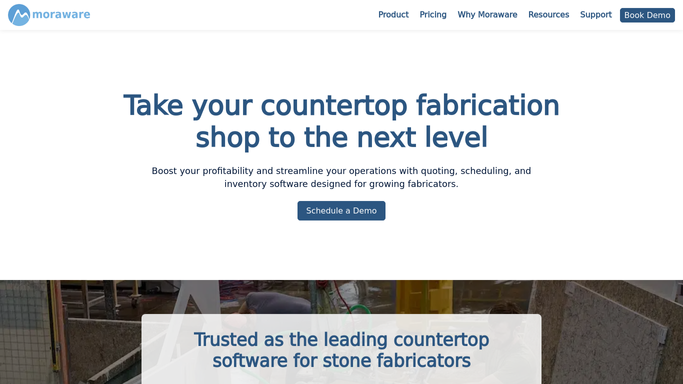
WebRun opens Moraware to find new leads added since yesterday. - Open Moraware and filter for new jobs or leads created since yesterday
- Capture the prospect's name, email, project type, and any notes logged during intake
- Skip any lead already converted to an active job or already contacted today
Done when Every new lead from yesterday is captured with contact and project details.
-
2
Gmail - draft personalised follow-up emails for review
gmail.com How to Automate Gmail

WebRun opens Gmail to draft personalised follow-up emails for review. - Draft a personalised follow-up email for each new lead, referencing their project type and a clear next step (such as booking a measure or requesting dimensions)
- Save every draft to Gmail Drafts without sending
- Leave all drafts for your sales team to review, adjust, and send
Done when Follow-up drafts are in Gmail Drafts for every new lead created since yesterday.
How is each run configured?
Secure by default
Connect once, stays signed in
WebRun signs in once and keeps each session in a persistent environment, so every run picks up right where it left off.
Every action is checked against this policy before it runs.
Questions, answered
Will it email new leads automatically without my approval?
No. Every follow-up is saved as a Gmail draft for your team to review before sending. No email reaches a prospect without a human reading and approving it first.
What if a lead is already being handled by a salesperson?
WebRun skips any lead already converted to an active job or already marked as contacted in Moraware. If you use a custom status for this, provide the label during setup.
Can it personalise the email to the specific project type?
Yes. WebRun references the project notes and type logged in Moraware when drafting each email, so each follow-up mentions the customer's specific countertop project rather than using a generic template.
Related templates
Put this on autopilot.
Turn it on in minutes - or have our team set it up for you.