How to Automate Moraware
Moraware runs the shop: CounterGo draws and prices the job, Systemize schedules fabrication and installation, and Inventory tracks slabs and remnants on your own racks. The distributor's rack, the builder's supplier portal and the installation programme's order queue sit elsewhere, and an agent like WebRun is what checks them.
 Written by
Samuel Adeyemi
Integrations writer
Written by
Samuel Adeyemi
Integrations writer
 Reviewed by
Marcus Deleon
Support operations
Reviewed by
Marcus Deleon
Support operations
A countertop job lives or dies on one slab
Moraware makes software for countertop and stone fabricators, and most shops name it after whichever part they live in, usually Systemize. Behind it is a saw, a CNC, a polishing line and a small showroom, cutting granite, quartz and porcelain for kitchens, bathrooms and the occasional office fit-out.
The shape of that business is unusual. Nearly every other trade buys interchangeable material. A fabricator buys a specific slab, with a lot number, a vein pattern and its own flaws, and the customer chose it by standing in front of it. If it cracks on the saw there is no replacement, only the nearest thing from the same lot, and that is often three states away.
So a shop lives on three questions at once. Which slab is this job, where has that job got to in fabrication, and what did we quote it at. Moraware answers all three, which is why it ends up being the only screen anyone looks at.
The slab you promised is on somebody else's rack
The material that decides whether Thursday's install happens is usually not in your building.
It is on a distributor's rack, listed on their dealer site with a bundle photo and a lot number, and it is available right up until somebody else buys it. So a fabricator logs in to confirm the lot is still there, logs in again after the customer takes a week to choose, and logs in a third time when a rep mentions a container. Imported material arrives with a vessel and a date, and the date moves.
Then there is where the work comes from. A shop this size rarely sells only to homeowners. Orders arrive through builders' supplier portals, kitchen dealers and big-box installation programmes, each with its own login, its own queue of new jobs, its own service tickets and its own way of taking money off an invoice when something goes wrong. Somebody opens all of them, every morning, and retypes what they find.
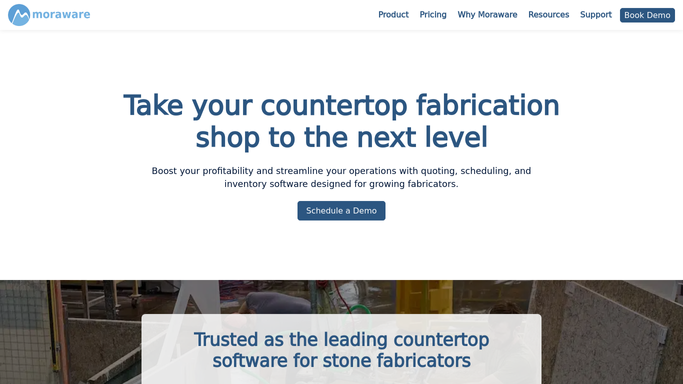
CounterGo quotes it, Systemize schedules it, Inventory racks it
Moraware covers the shop itself thoroughly, and the three products are worth understanding separately before adding anything to them.
CounterGo is the quoting side. A salesperson draws the countertop with a drag-and-draw tool on a phone or tablet, adds edge finishes, splashes, waterfalls and cutouts for standard sinks and cooktops, arranges the pieces on slab layouts to work out how many slabs it takes, and a customised price list turns square footage into a branded quote.
Systemize runs everything after that. Colour-coded calendars show the day, autoscheduling proposes fabrication and installation dates, job tracking puts every job and its stage on one screen, and print or digital job activity packets reach the template and install crews with drawings and checklists attached.
Inventory is the stone. What is on hand, reserved or available, remnants tracked with size, material, location and photos, purchase orders handled digitally, slab labels printed so a piece can be identified on the rack, and each slab followed through fabrication.
Every one of those knows what is in your building. None of them can see the distributor's.
Material can confirm itself before the crew is booked
Change that, and a template date stops being a promise made on trust.
Every job waiting on material checked on the distributor's dealer site each morning: is the lot still showing, has the bundle been sold, has the container date slipped again. A slab that disappeared on Monday is a conversation about a similar lot. The same slab missing on Thursday is a crew standing in a kitchen with nothing to fit.
New orders read out of the builder portal or the installation programme and entered as jobs, instead of being retyped by whoever opened the browser first. Service tickets and chargebacks in those same portals gathered before they become deductions nobody can reconstruct.
Distributor price sheets compared against the price list CounterGo is quoting from, because a shop working from last quarter's numbers is giving away margin per square foot and will not notice for months.
Deposits that never arrived and quotes that went quiet pulled into one list each morning, with how long each has been sitting. Anything going to a homeowner gets written and read before it is sent.
The dealer portal gets read while the saw is running
Those logins already exist, and somebody opens them between other jobs, usually the person also quoting work and answering the phone.
WebRun is an AI agent that works a real Chrome browser, signed in as you. It opens the distributor's dealer site, the builder's supplier portal or the installation programme's order queue, reads what is on the screen, and turns it into the thing you wanted: a list of jobs whose material is at risk, the new orders to enter, the prices that moved.
No API has to exist first, which matters, because most stone distributors do not offer one. It runs on your schedule in your own private environment, you can watch a run and stop it, and anything reaching a customer is drafted and waits.
The workflows below are already built, and each one names the sites it opens.
Questions people ask
Systemize already schedules our jobs. Why add anything?
Because the schedule assumes the material turns up. Systemize knows what is on your racks and where every job stands, and it is the right tool for that. It cannot see the distributor's rack, and that is what moves an install date.
Can it order slabs from our distributor?
No. Buying material stays with a person. It checks availability, lot numbers, container dates and prices and puts the answer against the job, so the order gets placed with the facts already in front of you.
Our stone supplier has no API. Is that a problem?
The opposite. It reads the dealer site the way your purchasing person does, in a browser signed in with your own account, so a supplier portal with no API and no export works exactly like one that has both.
12 ready-made Moraware workflows
Each one names the apps it touches and the exact steps it takes. Open one to read what it will do, then turn it on.



Want one of these running on your own Moraware?
Show WebRun the process once and it will run it on schedule, in your own private browser environment.