Catch disputes early with prevention alerts
Every few minutes, WebRun checks Chargeflow for new Verifi and Ethoca prevention alerts, opens the matching Shopify order to see whether it shipped, recommends refunding early or accepting the risk, drafts any refund for approval, and posts the triage call to Slack so you head off the chargeback before it files.
- No credit card
- Under $0.01 per run
- Cancel anytime
 Shopify
check if the order shipped
Shopify
check if the order shipped
How do I triage chargeback prevention alerts before a dispute files?
WebRun triages your prevention alerts every few minutes. When a Verifi or Ethoca alert lands in Chargeflow, it opens the Shopify order to see whether it shipped, recommends refunding early or accepting the risk, drafts any refund for approval, and posts the call to Slack, so you head off qualifying chargebacks before they file while a human approves every refund.
- Risky orders are refunded early before a dispute files
- Every refund is approved by a human, never automatic
- Alerts are triaged within minutes of arriving
Built for ecommerce merchants · payments operations · risk teams · Shopify sellers
What does WebRun do on every run?
The exact actions WebRun takes, in order - in plain language, so you can adjust anything.
-
WebRun signs in and gets to work
Opens
app.chargeflow.ioin a real browser with your saved login - no setup, no API keys. -
1
Chargeflow - read prevention alerts
chargeflow.io How to Automate Chargeflow
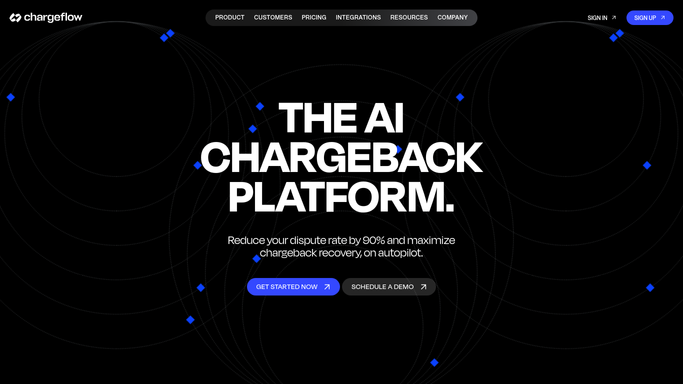
WebRun opens Chargeflow to read the prevention alerts. - Open Chargeflow and list new Verifi and Ethoca prevention alerts
- Capture the order reference, amount, and alert reason for each
- Skip alerts already triaged on a previous run
Done when Every new prevention alert is listed with its order and reason.
-
2
Shopify - check if the order shipped

WebRun opens Shopify to check if the order shipped. - Open the matching order in Shopify by its reference
- Check whether it has shipped, the amount, and any prior disputes from this buyer
- Recommend refund now to stop the alert, or accept and fight if the order is clearly valid
Done when Each alert has a refund-or-accept recommendation with the reason.
-
3
Slack - post the triage call
slack.com How to Automate Slack

WebRun opens Slack to post the triage call. - Post each alert with the recommendation and the amount at stake
- For a recommended refund, draft it against the Shopify order and leave it for a human to approve
- Never issue a refund on its own, wait for the approval in Slack
Done when Your team has each alert, its recommendation, and any refund waiting for approval.
How is each run configured?
Secure by default
Connect once, stays signed in
WebRun signs in once and keeps each session in a persistent environment, so every run picks up right where it left off.
Shopify
Sign in once
Every action is checked against this policy before it runs.
Questions, answered
Will it issue refunds on its own?
No. A refund moves money, so WebRun only drafts it against the Shopify order and posts the recommendation to Slack. A person approves every refund before it goes out, and alerts it recommends accepting are never refunded at all.
Why refund early on some alerts?
Because a prevention alert lands before the chargeback files, and refunding a clearly risky order early stops the dispute, avoids the dispute fee, and protects your chargeback ratio, so WebRun flags those as refund candidates.
How quickly does it act on an alert?
Within minutes. WebRun checks Chargeflow every ten minutes, so a Verifi or Ethoca alert is triaged and in Slack almost as soon as it arrives, inside the short window before the chargeback files.
Related templates
Shopify›Put this on autopilot.
Turn it on in minutes - or have our team set it up for you.