Have the truck manifest ready before load out
Every evening, WebRun opens Flex Rental Solutions, finds every job trucking out tomorrow, builds a transport manifest with case counts, total weight, and stop order in Google Sheets, and saves a copy to Dropbox so drivers have it before they arrive in the morning.
- No credit card
- Under $0.01 per run
- Cancel anytime
How do I automatically draft a transport manifest for AV and staging truck routes?
WebRun opens Flex Rental Solutions every evening, finds every job trucking out tomorrow, and builds a transport manifest in Google Sheets with case counts, estimated weight, and stop order by load in time. It saves the finished manifest to Dropbox, so drivers have a ready to use route sheet before they arrive for load out.
- Drivers have a route ready manifest before they arrive for load out
- Case counts and weights totaled automatically for every truck
- Manual manifest building eliminated every evening
Built for AV rental logistics teams · staging and touring transport crews · warehouse dispatchers · event production drivers
What does WebRun do on every run?
The exact actions WebRun takes, in order - in plain language, so you can adjust anything.
-
WebRun signs in and gets to work
Opens
app.flexrentalsolutions.comin a real browser with your saved login - no setup, no API keys. -
1
Flex Rental Solutions - find tomorrow's outbound jobs
flexrentalsolutions.com How to Automate Flex Rental Solutions

WebRun opens Flex Rental Solutions to find tomorrow's outbound jobs. - Open Flex Rental Solutions and filter jobs to tomorrow's outbound trucking date
- Capture the case count, estimated weight, venue address, and load in time for each job
- Order the stops by earliest load in time
Done when Every job trucking out tomorrow has its case count, weight, and stop order captured.
-
2
Google Sheets - build the transport manifest
google.com How to Automate Google Sheets

WebRun opens Google Sheets to build the transport manifest. - Open the transport manifest template and add a sheet for tomorrow's date
- List each stop with its case count, weight, address, and load in time in route order
- Total the case count and weight for the full truck
Done when Tomorrow's transport manifest is complete in Google Sheets with totals and stop order.
-
3
Dropbox - save it for drivers
dropbox.com How to Automate Dropbox
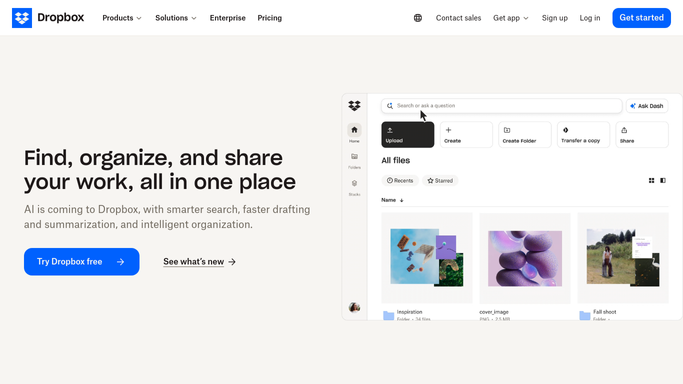
WebRun opens Dropbox to save it for drivers. - Save the finished manifest to the shared drivers folder in Dropbox
- Name the file with tomorrow's date and truck or route number
- Confirm the file replaces any earlier draft for the same date
Done when Tomorrow's manifest is saved in the drivers' Dropbox folder and ready before departure.
How is each run configured?
Secure by default
Connect once, stays signed in
WebRun signs in once and keeps each session in a persistent environment, so every run picks up right where it left off.
Every action is checked against this policy before it runs.
Questions, answered
Does it account for truck weight limits?
It totals the case count and estimated weight for the full load so your team can see it at a glance, but confirming against a specific truck's legal weight limit is still a manual check before departure.
What if a job's gear list changes overnight?
The manifest reflects Flex Rental Solutions as of the evening run. For late changes, your team updates the sheet directly or requests a fresh run before the truck loads.
Can it handle multiple trucks or routes in one night?
Yes. If jobs are split across trucks or routes in Flex Rental Solutions, WebRun builds a separate manifest sheet and Dropbox file for each one.
Related templates
Put this on autopilot.
Turn it on in minutes - or have our team set it up for you.