Publish your AR aging report every month-end without touching a spreadsheet
On the last business day of each month, WebRun opens Versapay, reads the full open AR ledger, groups every balance into aging buckets (current, 1-30, 31-60, 61-90, and 90-plus days), writes the formatted report to a Google Sheet, and posts a Slack summary with the key totals to finance leadership so the month-end close pack is complete.
- No credit card
- Under $0.01 per run
- Cancel anytime
How do I automatically produce a monthly AR aging report from Versapay?
WebRun opens Versapay at month-end, reads every open invoice balance, buckets them into current, 1 to 30, 31 to 60, 61 to 90, and 90-plus days aging, and writes the formatted report to Google Sheets. A Slack message delivers the key totals and month-over-month commentary to finance leadership so the close pack is ready without any manual extraction.
- Month-end AR aging report ready before the close pack meeting with zero manual work
- 90-plus day bucket changes flagged automatically for management commentary
- Historical aging tabs saved in Google Sheets for trend comparison
Built for controllers · CFOs · finance managers · AR directors · companies with monthly close requirements
What does WebRun do on every run?
The exact actions WebRun takes, in order - in plain language, so you can adjust anything.
-
WebRun signs in and gets to work
Opens
app.versapay.comin a real browser with your saved login - no setup, no API keys. -
1
Versapay - read full open AR ledger
versapay.com How to Automate Versapay
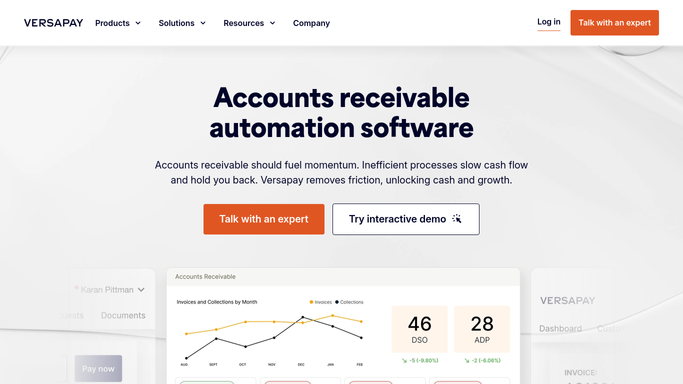
WebRun opens Versapay to read full open AR ledger. - Open Versapay and navigate to the open AR or aging report view
- Read every open invoice balance: customer name, invoice number, invoice date, due date, and outstanding amount
- Calculate days overdue for each invoice relative to today as the month-end close date
Done when A complete snapshot of every open AR balance has been read from Versapay as of month-end.
-
2
Google Sheets - write formatted aging report by bucket
google.com How to Automate Google Sheets

WebRun opens Google Sheets to write formatted aging report by bucket. - Open the monthly AR aging Google Sheet
- Populate rows with each customer and invoice details, bucketed into: Current, 1-30, 31-60, 61-90, and 90-plus days
- Add a summary table at the top with total outstanding by bucket and as a percentage of total AR
- Save the sheet as this month's dated tab for historical record
Done when The Google Sheet contains the full month-end aging report, formatted and bucketed, ready for distribution.
-
3
Slack - deliver month-end summary to finance leadership
slack.com How to Automate Slack

WebRun opens Slack to deliver month-end summary to finance leadership. - Post a message to the finance leadership Slack channel with total AR outstanding, breakdown by aging bucket, and percentage of AR over 90 days
- Flag any material change versus last month (more than 5 percent move in the 90-plus bucket)
- Include a link to the Google Sheet for the full detail
Done when Finance leadership has the month-end AR aging summary and the link to the full report.
How is each run configured?
Secure by default
Connect once, stays signed in
WebRun signs in once and keeps each session in a persistent environment, so every run picks up right where it left off.
Every action is checked against this policy before it runs.
Questions, answered
Does it contact any customers as part of running the aging report?
No. The aging report is a purely internal document produced for your finance team. No customer data is shared externally and no customer is contacted during this workflow.
How does it define the aging buckets?
The default buckets are Current, 1 to 30 days, 31 to 60 days, 61 to 90 days, and 90-plus days, which match standard AR reporting conventions. You can adjust the bucket definitions to match your own close pack format.
Can it produce the report mid-month as well?
Yes. While configured to run at month-end, you can trigger the workflow on any day and it will produce an as-of-today aging snapshot in the same format, useful for mid-month reviews or audit preparation.
Related templates
Put this on autopilot.
Turn it on in minutes - or have our team set it up for you.