Surface unmatched payments before they delay your close
Every morning, WebRun opens Versapay, finds any payments that failed automatic matching to open invoices, logs the details to a shared Google Sheet exceptions register, and posts a Slack alert to the AR team so every unmatched payment is resolved before the day's close.
- No credit card
- Under $0.01 per run
- Cancel anytime
What does WebRun do on every run?
The exact actions WebRun takes, in order - in plain language, so you can adjust anything.
-
WebRun signs in and gets to work
Opens
app.versapay.comin a real browser with your saved login - no setup, no API keys. -
1
Versapay - find unmatched payment exceptions
versapay.com How to Automate Versapay

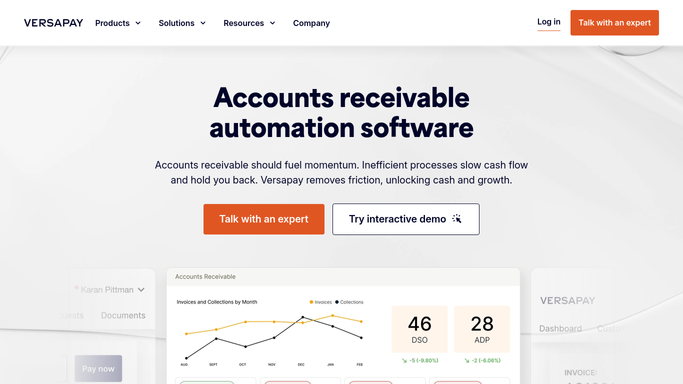
WebRun opens Versapay to find unmatched payment exceptions. - Open Versapay and navigate to the cash application or unapplied payments view
- Identify payments that could not be automatically matched to an open invoice
- Capture payer name, payment amount, payment date, reference number, and exception reason for each
Done when All cash application exceptions from the prior business day are listed with full details.
-
2
Google Sheets - log exceptions register
google.com How to Automate Google Sheets
WebRun opens Google Sheets to log exceptions register. - Open the cash application exceptions Google Sheet
- Append new exception rows with payer, amount, date, reference, and exception type
- Mark previously logged exceptions that are now resolved as cleared
Done when The exceptions register is up to date with all unresolved and newly cleared items.
-
3
Slack - alert AR team to resolve today
slack.com How to Automate Slack
WebRun opens Slack to alert AR team to resolve today. - Post a message to the AR Slack channel with the count and total value of unresolved exceptions
- Include a direct link to the exceptions Google Sheet
- Flag any exceptions older than 2 business days as urgent
Done when The AR team is aware of all open exceptions and has the sheet link to begin resolution.


How do I automatically catch and log cash application exceptions from Versapay?
WebRun opens Versapay each morning, identifies payments that failed automatic matching to open invoices, and logs every exception to a shared Google Sheets register. A Slack alert tells your AR team the count and total value of unresolved items, so every cash application exception is actioned before the day closes and your books stay clean.
- No unmatched payment sits unresolved past the business day
- AR team has a live exceptions register without manual extraction
- Aged exceptions are flagged as urgent before they affect the close
Built for AR teams · cash application specialists · finance operations · companies with high payment volumes
How is each run configured?
Secure by default
Connect once, stays signed in
WebRun signs in once and keeps each session in a persistent environment, so every run picks up right where it left off.
Every action is checked against this policy before it runs.
Questions, answered
Will it apply payments to invoices automatically?
No. This workflow only surfaces exceptions and logs them for human review. Actual payment application is performed by your AR team after reviewing the exceptions register, keeping humans in control of every match decision.
What kinds of exceptions does it catch?
It catches payments with no matching invoice reference, payments that partially match (short pays), and payments where the reference does not exist in Versapay, giving your team a complete picture of what needs manual resolution.
How far back does it look?
By default it checks for new exceptions since the last run (prior business day). You can extend the lookback window if you want it to resurface aged unresolved exceptions as well.
Related templates
Put this on autopilot.
Turn it on in minutes - or have our team set it up for you.