Flag unusual refunds and comps in NCR Aloha before they slip through
Every morning, WebRun opens NCR Aloha, reads the prior day's refund and comp transaction log, flags any refund above your dollar threshold or lacking a manager authorization code, and posts a summary to Slack while logging each exception to Google Sheets for the accounting team.
- No credit card
- Under $0.01 per run
- Cancel anytime
What does WebRun do on every run?
The exact actions WebRun takes, in order - in plain language, so you can adjust anything.
-
WebRun signs in and gets to work
Opens
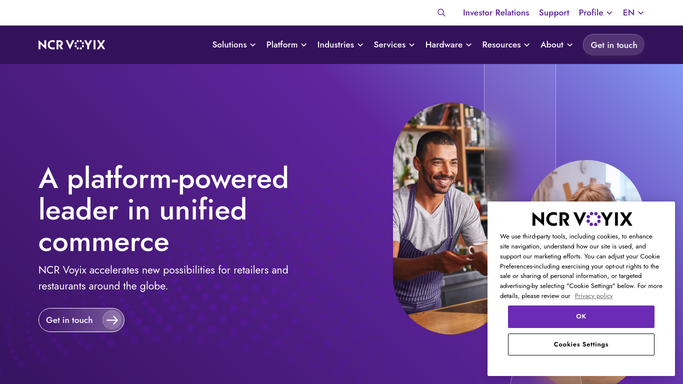
www.ncrvoyix.comin a real browser with your saved login - no setup, no API keys. -
1
NCR Aloha - read refund and comp transaction log
ncrvoyix.com How to Automate NCR Aloha

WebRun opens NCR Aloha to read refund and comp transaction log. - Open NCR Aloha and pull the refund and comp detail report for yesterday
- Identify each refund, returned item, and manager comp with employee, time, table, and amount
- Flag any transaction above your dollar threshold or missing an authorization code
Done when All above-threshold or unauthorized refunds and comps are identified with full transaction context.
-
2
Slack - post exception flags to management
slack.com How to Automate Slack
WebRun opens Slack to post exception flags to management. - Post the flagged refund and comp list to a private management Slack channel
- Include employee name, time, table, amount, and reason for the flag
- Leave the list for management to investigate and respond
Done when The exception summary is posted to Slack for management review.
-
3
Google Sheets - log exceptions for accounting review
google.com How to Automate Google Sheets
WebRun opens Google Sheets to log exceptions for accounting review. - Append each flagged refund and comp to the exceptions Google Sheet with date, employee, amount, and flag reason
- Leave the sheet for the accounting team to reference during weekly reconciliation
Done when Each exception is logged in Google Sheets for accounting.


How do I automatically flag unusual refunds and comps in NCR Aloha?
WebRun scans the NCR Aloha refund and comp log every morning, flags transactions that exceed your thresholds or lack authorization codes, posts the exception list to a private Slack channel for management, and logs each item to Google Sheets so accounting has a clean record for weekly reconciliation.
- Above-threshold refunds and unauthorized comps surface every morning before they roll into weekly reporting
- Both Slack and Google Sheets give management and accounting the detail they need
- No transaction is modified, keeping NCR Aloha data intact
Built for restaurant managers · restaurant accountants · multi-unit restaurant operators · food and beverage directors
How is each run configured?
Secure by default
Connect once, stays signed in
WebRun signs in once and keeps each session in a persistent environment, so every run picks up right where it left off.
Every action is checked against this policy before it runs.
Questions, answered
What makes a refund or comp count as an exception?
You define the rules during setup: a dollar threshold per transaction, a per-employee daily limit, or a requirement for a manager authorization code. WebRun flags any transaction that breaks those rules.
Does it reverse or modify any transactions in NCR Aloha?
No. WebRun reads and flags only. All transaction decisions stay with your management team. Nothing in NCR Aloha is changed by this workflow.
Can it distinguish between guest-facing refunds and internal comps?
Yes. NCR Aloha logs refunds and comps separately. WebRun reads and reports both types, so you can review guest refunds and manager comps in the same morning summary.
Related templates
Put this on autopilot.
Turn it on in minutes - or have our team set it up for you.